Skip to content


Running a WooCommerce store successfully goes beyond listing products and processing orders. At scale, customer service becomes a critical differentiator—directly impacting retention, lifetime value, and operational efficiency. According to Microsoft’s State of Global Customer Service report:
- 96% of consumers cite service quality as a key factor in brand loyalty
- 89% of customers will abandon a business after poor support experiences
What is WooCommerce Customer Service?
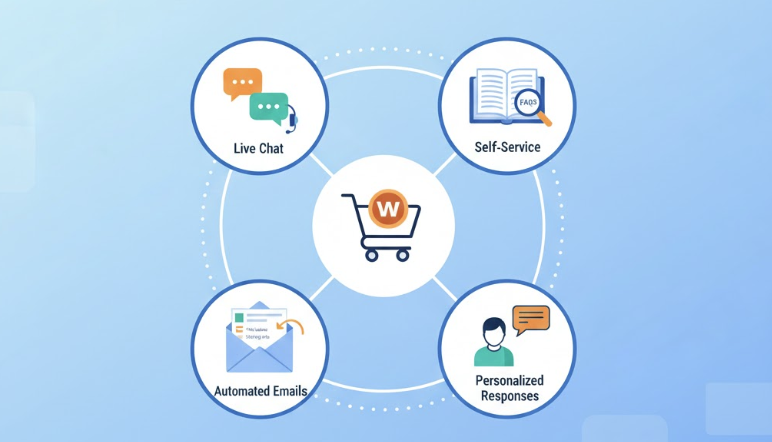
WooCommerce customer service is the support and assistance provided to shoppers throughout their buying journey. This includes:
- Live chat: Instant help for urgent questions
- Self-service options: FAQs and knowledge bases
- Automated emails: Order updates, shipping notifications
- Personalized responses: Fast, relevant help to build loyalty
A strong support strategy uses multiple channels together, ensuring customers always get the help they need.
Official WooCommerce Support
WooCommerce support is provided mainly through their help desk and documentation. Phone support is limited and mostly for billing inquiries.
How to Contact WooCommerce Officially
- Help desk: Log in at WooCommerce.com → My Account → Help → Contact Support
- Live chat: Available for certain paid products during business hours, see the offical How to get help guide for details
- Documentation and tutorials: Guides, setup instructions, API references from the official WooCommerce Documentation
- Community forums: WordPress.org forums, GitHub issues, Stack Overflow
Notes:
- Free plugin users rely on documentation and forums.
- Response times: 24–48 hours for paid plans; community support is slower.
- Support covers installation, configuration, and standard product usage.
- https://woocommerce.com/support-policy/Support does not cover custom code, third-party plugins, site-wide WordPress errors, or modifications to core behavior.
When You Need Third-Party Support
Official WooCommerce support has limits. Agencies or freelancers fill gaps for:
- Custom plugin development
- Complex API integrations
- Enterprise-level performance optimization
- Emergency support with SLA-backed response times
Types of Third-Party Support
- Managed Hosting Providers: Handle server issues and basic WooCommerce compatibility
- Freelance Developers: Help with specific tasks or short-term projects
- Specialized WooCommerce Agencies: Full support, monitoring, incident response, and strategic advice
Agencies often act as the first line of support, only escalating genuine product bugs to WooCommerce.
Building a Customer Service Stack in Your Store
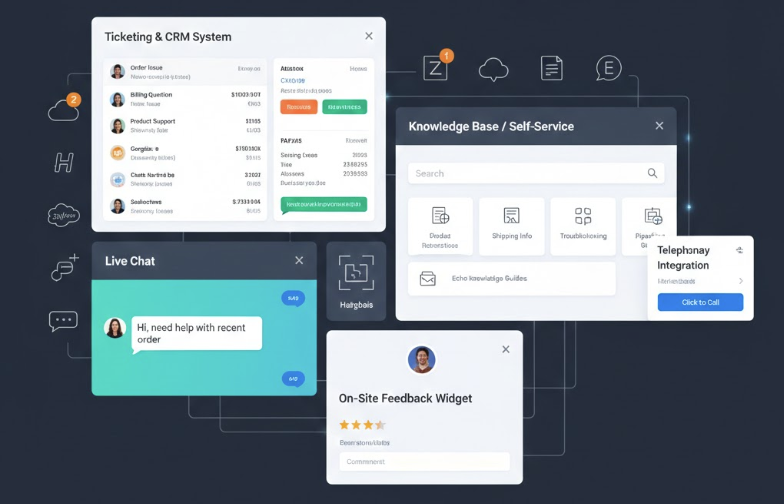
A strong in-store support system improves response times and overall experience. Key components include:
- Ticketing and CRM systems: Centralize customer inquiries
- Live chat and messaging: Real-time help
- Knowledge base / self-service: FAQs and documentation
- Telephony integration: Click-to-call or callback features
- On-site feedback widgets: Collect satisfaction data
Popular Tools and Integrations
- Help Desk: Zendesk, Freshdesk, Help Scout, Gorgias, Intercom
- CRM: HubSpot, Salesforce, Pipedrive
- Live Chat: Tidio, LiveChat, Intercom
- Knowledge Base: BetterDocs, Heroic Knowledge Base, Echo Knowledge Base
Benefits:
- Pulls order history, subscription status, and tracking info directly into support interfaces
- Reduces back-and-forth with customers
- Enables faster issue resolution
When to Use Custom Development
Off-the-shelf plugins cover common needs, but custom solutions are needed for:
- Multi-storefront support
- Complex SLA routing (e.g., VIP customers go to Tier 2 queues automatically)
- Internal tool integration without existing plugins
- Specialized workflows like returns, RMAs, or B2B quoting
Custom solutions avoid plugin bloat, improve security, and guarantee performance at scale.
Performance, Reliability, and Security
Customer service tools must not slow your store or expose data.
Key Considerations:
- Performance: Load chat scripts conditionally; defer non-critical scripts
- Reliability: Monitor API failures, webhook delivery, and CRM syncs
- Security: Use HTTPS, rotate API keys, audit logs, least privilege access
- Data Protection: Anonymize sensitive data, ensure GDPR/CCPA compliance
Bug Reporting via GitHub
For confirmed bugs in WooCommerce core or official extensions, users are often directed to GitHub. Issues are triaged and scheduled into milestone releases to ensure reproducible defects get developer attention.
Measuring and Improving Support
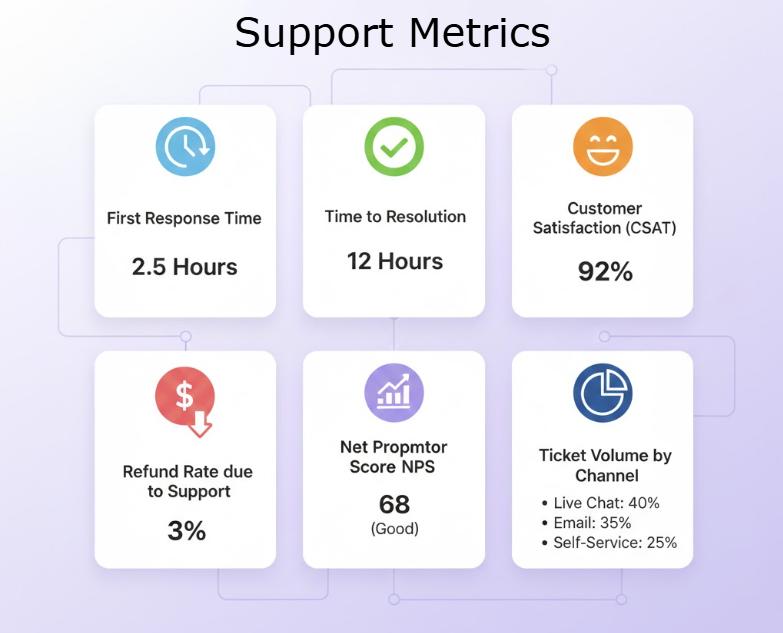
Track metrics to identify areas for improvement:
- First Response Time: Hours until initial reply
- Time to Resolution: Hours to close a ticket
- Ticket Volume by Channel: Shows where customers contact you most
- Contact Rate per 100 Orders: Measures support load
- CSAT / NPS Scores: Customer satisfaction and loyalty, tracking NPS and CSAT definitions clarifies satisfaction vs loyalty measurement
- Refund Rate Linked to Support: Costs due to support failures
Tools for Tracking
- CSAT surveys in help desks
- Automated NPS sequences via email
- Dashboards combining WooCommerce, CRM, and support data
Regular reviews of recurring issues, seasonal spikes, and geographic patterns help improve UX, self-service tools, and onboarding.
How Progressus.io Helps
Standard reporting often can’t join data across WooCommerce, support platforms, and CRMs. Custom pipelines built with tools like Looker Studio, Power BI, or purpose-built dashboards provide unified views that make prioritization easier.
Progressus.io builds these bespoke reporting solutions, helping merchants understand not just what’s happening in support, but why—and what technical or process changes will improve outcomes.
How Progressus.io Supports Complex WooCommerce Stores
Who We Are
Progressus.io is a WooCommerce development agency focused on midmarket and enterprise merchants. We work with businesses running high-traffic stores, processing significant GMV, and requiring robust technical support beyond what WooCommerce.com provides.
- Core Service Areas
- Performance Optimization
- Database query optimization for high-traffic stores
- Caching strategy implementation
- Frontend performance improvements
- Server architecture recommendations
- Conversion Rate Optimization
- Checkout flow analysis and improvement
- Cart abandonment reduction
- A/B testing infrastructure
- Ongoing Support Offerings
- Retainer-based technical support with defined SLAs
- Proactive monitoring and alerting
- Regular update and regression-testing cycles
- Dedicated engineering contacts familiar with your codebase
- Flexible engagement models scaling with your needs
- Collaboration with Internal Teams
Next Steps
If you operate a serious WooCommerce store—multi-country catalogs, subscription products, B2B portals, or high-volume consumer e-commerce—consider what a technical audit could reveal about your customer service infrastructure.
Reach out to Progressus.io for a discovery call to discuss modernizing and hardening your WooCommerce customer service stack. Whether you need custom integrations, performance optimization, or dedicated ongoing support, having the right technical partner makes the difference between adequate and exceptional.