 Skip to content

Blog
Discover our WooCommerce & WordPress Tips & Tricks.
-

Key Features of the WooCommerce NetSuite Integration Plugin
The official WooCommerce NetSuite Integration plugin is a dedicated app designed to connect your WooCommerce store with your NetSuite account seamlessly. It automates critical business processes, including order processing, inventory management, and customer data synchronization, saving you time and reducing errors. Learn more about top ERP integration options here. Key functionalities include: This plugin is…
-

How to Manage WP GitHub: A Simple Guide
Want better control over your WordPress site? Integrating WP with GitHub offers powerful version control and collaboration capabilities, making it easier to track changes and manage your site development. In this guide, you’ll learn how to set up and use GitHub effectively with WordPress. Key Takeaways Understanding GitHub and WordPress Integration GitHub is a popular…
-

WP Engine Smart Plugin Manager vs. Pressable Advanced Automatic WordPress Updates: Which Is Best for Your Site?
Keeping your WordPress website secure and up to date is essential for performance and protection against vulnerabilities. Two leading solutions for automating plugin and theme updates are WP Engine Smart Plugin Manager and Pressable’s Advanced Automatic WordPress Updates. This article compares these tools, highlighting their features, benefits, and limitations, and ultimately recommends the best choice…
Featured Posts
-

12 Best WooCommerce Shipping Plugins Including Global Options
Choosing a WooCommerce shipping plugin for your online store can be tricky seeing as there are so many options with differing capabilities. It’s made more complicated by the fact that international shipping to or from certain locations isn’t always inbuilt, including in the WooCommerce core. Not to worry because there are several solid options when…
-

Verified Expert Pick: Best Multisite WordPress Plugins (WooCommerce Too)
When you want to build a network of WordPress sites, it can be difficult to figure out what the best Multisite WordPress plugins or what the best WooCommerce extensions are to install. While on the subject, is there a simple WooCommerce Multisite plugin to get you set up quickly? As verified WooCommerce experts here at…
-
How to Create (and Edit) a WooCommerce Multisite New User Role
Adding a WooCommerce Multisite new user role means your network of connected online stores can have custom account capabilities. You can create them for specific groups of users that you set. Not everyone should have access to all the available capabilities because they include editing privileges which not everyone needs. Limiting capabilities by creating custom…
-

How to Build a WooCommerce Subscriptions Multisite Network
Updated: July 20, 2026. When you want to be able to create multiple WordPress sites that all sell subscriptions, a WooCommerce subscriptions Multisite network is what you need. You’ll be able to manage as many sites as you want, all under one roof. You’ll also be able to sell different types of subscriptions plans for…
-
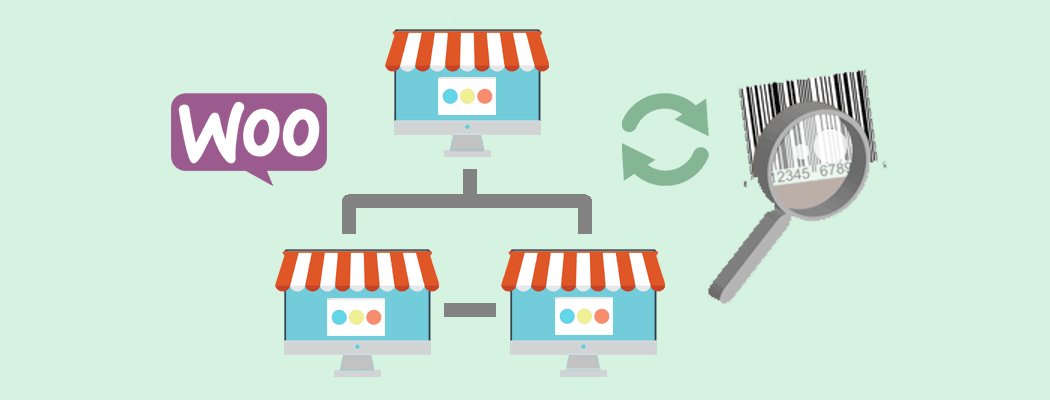
How to Set Up WooCommerce Multisite with Stock Syncing
Adding a WooCommerce Multisite stock sync feature means a single inventory can be tracked and accessed across multiple or all online stores within a WordPress network. Enabling Multisite on WordPress lets you create multiple sites under the umbrella of one main site. When you add WooCommerce into the mix, the network of sites becomes one…
-

How to Create a WooCommerce Multisite Language Switcher
Installing a WordPress Multisite language switcher, WooCommerce-ready and all, is easier than you’d think when you use the right plugins. You can get set up quickly to let your network of online stores give your customers the choice to swiftly change the language your site is in with one click. Here’s how to do just…
-

WooCommerce Multisite Order Sync: How to Add This and More to WordPress
Updated: July 20, 2026. Managing multiple online stores at once can be a real hassle. But, that’s when a WooCommerce Multisite installation is the best fit. It’s a bundle of software you can install on a web server. With it, you can manage all your stores under one dashboard. While by default each store in…
-

Adding a WordPress Multisite User Sync Feature (with WooCommerce)
WordPress is a powerful and versatile Content Management System (CMS) where you can create your own website. With its Multisite feature, you can create a network of sites. You can even have users register for your site. But by default, you can’t have users sign up once and have access to all sites within the…
-
3+ Best WooCommerce Multisite Global Cart Options for WordPress
Updated: July 20, 2026. So, you want several online stores and you need to manage it all under one roof. Oh, and customers should be able to shop seamlessly across all the sites with one cart and checkout. No problem! You just need a WooCommerce Multisite global cart setup. As verified WooCommerce experts, we get…