Skip to content

Key Takeaways
- Enterprise WooCommerce integration is about designing a robust, API-first architecture that connects your WooCommerce store with enterprise resource planning, customer relationship management, PIM, WMS, finance, and marketing systems in a controlled, testable way.
- Methodology matters more than tools: requirements discovery, data modeling, error handling, and staging environments determine success at scale. Rushed integrations fail 70-80% of the time due to mismatched data models.
- REST APIs and GraphQL are the core integration mechanisms, with managed webhooks, robust message brokers, and schedulers added for resilience and managing volume spikes during peak periods.
- Progressus.io specializes in complex mid-market and enterprise WooCommerce builds, including custom plugins, headless/API projects, and deep ERP integrations launched between 2016–2026.
- This article walks through a practical end-to-end methodology: discovery, architecture, build, testing, go-live, and long-term optimization, plus governance and security considerations.
Introduction: Why Enterprise WooCommerce Integration Needs a Methodology
Integrating WooCommerce into an enterprise environment requires a shift from a plug-and-play mindset to a robust, scalable architecture. Picture a typical 2024–2026 enterprise ecommerce scenario: your online store manages 50,000+ SKUs, connects to five or more business systems including an ERP like SAP Business One or Microsoft Dynamics 365 BC, handles multi-warehouse stock allocation, and supports global B2B price lists across regions. This is the reality for many enterprise ecommerce stores today—and because core WooCommerce is fundamentally built for single-inventory B2C retail, achieving this demands custom data structures and much more than ad-hoc scripting.
Explicit Definition: Integrating WooCommerce into an enterprise-level system requires moving beyond standard plugin setups to a robust, API-driven, and High-Performance Order Storage (HPOS)-compliant architecture that ensures data consistency, scalability, and security.
Without a clear enterprise WooCommerce integration methodology, integrations become a tangle of conflicting plugins and one-off scripts. The result? Order sync failures, stock oversells that damage customer trust, and finance reconciliation nightmares that consume hours of manual data entry every week. When your ecommerce business expands, these problems multiply exponentially.
We define “enterprise WooCommerce integration methodology” as a repeatable, phased approach for planning, implementing, and governing integrations for high-volume WooCommerce stores. This methodology covers discovery, architecture, data mapping, implementation, testing, deployment, monitoring, and continuous improvement—each phase building on the last.
At Progressus.io, we’ve spent years integrating WooCommerce with third-party APIs and ERPs like SAP Business One, Odoo, and Dynamics 365. Our experience from 2018–2026 shows that following a structured methodology is the difference between integrations that scale gracefully and those that collapse under pressure.
Phase 1: Enterprise Discovery and Integration Strategy
The most common mistake in enterprise ecommerce integration? Jumping straight to “just connect the API” without understanding the business context. At enterprise scale, this approach fails because every organization has unique data flows, business processes, and operational requirements that generic connectors cannot address.
Why Discovery Matters
Successful integrations start with structured stakeholder workshops involving IT, ecommerce, operations, finance, and sales teams. These sessions document concrete business goals:
- Reduce manual order entry by 80% by Q2 2026
- Support same-day shipping SLAs for priority customers
- Enable B2B self-service reordering through the WordPress site
- Achieve real-time inventory tracking across all warehouses
Systems Typically in Scope
System Type | Common Platforms |
|---|---|
ERP | SAP Business One, Dynamics 365 BC, NetSuite, Odoo |
CRM | Salesforce, HubSpot |
PIM | Akeneo, Salsify |
WMS | ShipHero, Deposco |
Marketing Automation | Klaviyo, Dotdigital |
BI Tools | Power BI, Looker Studio |
Discovery Outputs
The discovery phase should produce a written integration brief containing:
- High-level architecture sketch
- In-scope entities and data exchange requirements
- Identified risks and mitigation strategies
- Realistic timelines
- Success metrics (e.g., error rate <0.5% of orders over first 90 days)
At Progressus.io, we typically deliver this as a 2–4 week consulting engagement for midmarket and enterprise clients before proposing any plugin development or custom code.
Phase 2: Integration Domain Modeling and Data Ownership
With discovery complete, the next step is building a domain model that maps how product data, customer data, and transactional information flow between systems. This phase eliminates the “who owns what” confusion that causes sync conflicts.
Enterprise Ecommerce Domain Model
Your domain model should cover these core entities. (Note: As core WooCommerce is built for single-inventory B2C retail, features like multi-warehouse routing and B2B logic will require custom database tables or enterprise-grade plugins).
- Products and variants: SKUs, attributes, categories, images
- Price lists: Standard pricing, B2B contract pricing, regional variations
- Customers: B2C guests, registered users, B2B accounts with hierarchies
- Orders: Line items, taxes, discounts, shipping methods
- Inventory positions: Multi-warehouse stock levels, reservations
- Financial documents: Invoices, payments, credit memos
Defining Systems of Record
Clear ownership prevents duplicate data and conflicting updates:
Data Domain | System of Record |
|---|---|
Product master, pricing, tax rules, stock | ERP system |
Storefront content, categories, SEO | WooCommerce/WordPress website |
Leads, opportunities, sales interactions | CRM systems |
Marketing segments, campaigns | Marketing automation platforms |
This data accuracy work may seem tedious, but standardized product data cleanup solves half your integration headaches. Complex B2B realities—multiple price lists per region, contract pricing with effective dates spanning 2024–2027, and customer-specific discounts—all require careful modeling before any code is written.
Phase 3: Integration Architecture for WooCommerce at Scale
Architecture choices are foundational and expensive to change later. The decisions you make here affect operational efficiency, maintenance burden, and long-term scalability of your ecommerce platform.
Architecture Patterns
Point-to-Point (Direct Integration)
- WooCommerce connects directly to ERP via REST API or WPGraphQL.
- Best for 2–3 systems with clear ownership
- Low latency (<60 seconds for order sync)
- Higher development and maintenance burden
Hub-and-Spoke (Integration Platform)
- Central layer handles routing, retries, and conflict resolution
- Options: Enterprise iPaaS solutions like MuleSoft, Azure Integration Services, or a custom PHP/Laravel hub by Progressus.io.
- Better for 5+ systems with complex routing needs
- Adds some latency but improves manageability
Synchronous vs Asynchronous Flows
Flow Type | Use Case | Implementation |
|---|---|---|
Synchronous | Payment validation, checkout, real-time pricing | Direct API calls |
Asynchronous | Inventory sync, catalog updates, analytics | Webhooks, queues, Action Scheduler |
Critical Note on Scaling: For most enterprise stores, inventory management and catalog syncs should be asynchronous to handle peaks like Black Friday (2,000+ orders/hour). However, standard WooCommerce webhooks firing at this volume will rapidly exhaust PHP workers and crash your site. An enterprise methodology routes these through dedicated message brokers or heavily utilizes batched processing via Action Scheduler.
Phase 4: Integration Methodology and Technical Implementation
This is where methodology meets code. The implementation phase translates your architecture into working integrations using WooCommerce’s REST API and your partner systems’ APIs, and exposes many of the typical challenges in WooCommerce plugin development around performance, security, and compatibility.
WooCommerce API Endpoints & Architecture
WooCommerce supports comprehensive access through its v3 endpoints (/wp-json/wc/v3/orders, etc.). Furthermore, modern headless builds rely heavily on WPGraphQL for WooCommerce to prevent over-fetching data.
At the enterprise level, any code written must be strictly compatible with High-Performance Order Storage (HPOS). Relying on legacy wp_posts database queries for orders will fail entirely in a modern, scalable WooCommerce setup.
API Contract Design
Work with ERP and CRM teams to establish:
- HTTP methods and endpoint conventions
- Authentication protocols (Basic Auth over HTTPS, OAuth 1.0a natively, or custom-built OAuth 2.0 solutions)
- Pagination strategies for large datasets (100 items per page typical)
- Rate limiting thresholds to avoid throttling
- Standardized JSON error envelopes for consistent error handling
The Integration Plugin Approach
Rather than stacking multiple general-purpose connectors, Progressus.io typically implements a dedicated “integration plugin” that centralizes, building on our experience with custom WooCommerce plugin development to maximize sales and efficiency:
- All mapping logic in one place
- Comprehensive logging with request IDs
- Configuration management for different environments
- Automated workflow triggers based on order status changes
Performance Optimization
- Batch operations where ERP APIs support them
- Incremental sync using timestamps or change tracking
- Idempotency keys (unique order IDs) to prevent duplicate orders or invoices
- Caching strategies to reduce API calls
Phase 5: Integration Patterns for Core Enterprise Flows
Orders and Fulfillment
When an order moves to processing status, push it to the ERP system in near real time. Include full tax breakdown matching ERP tax codes, apply discounts with calculation methodology, and map shipping methods to ERP fulfillment workflows.
Inventory and Availability
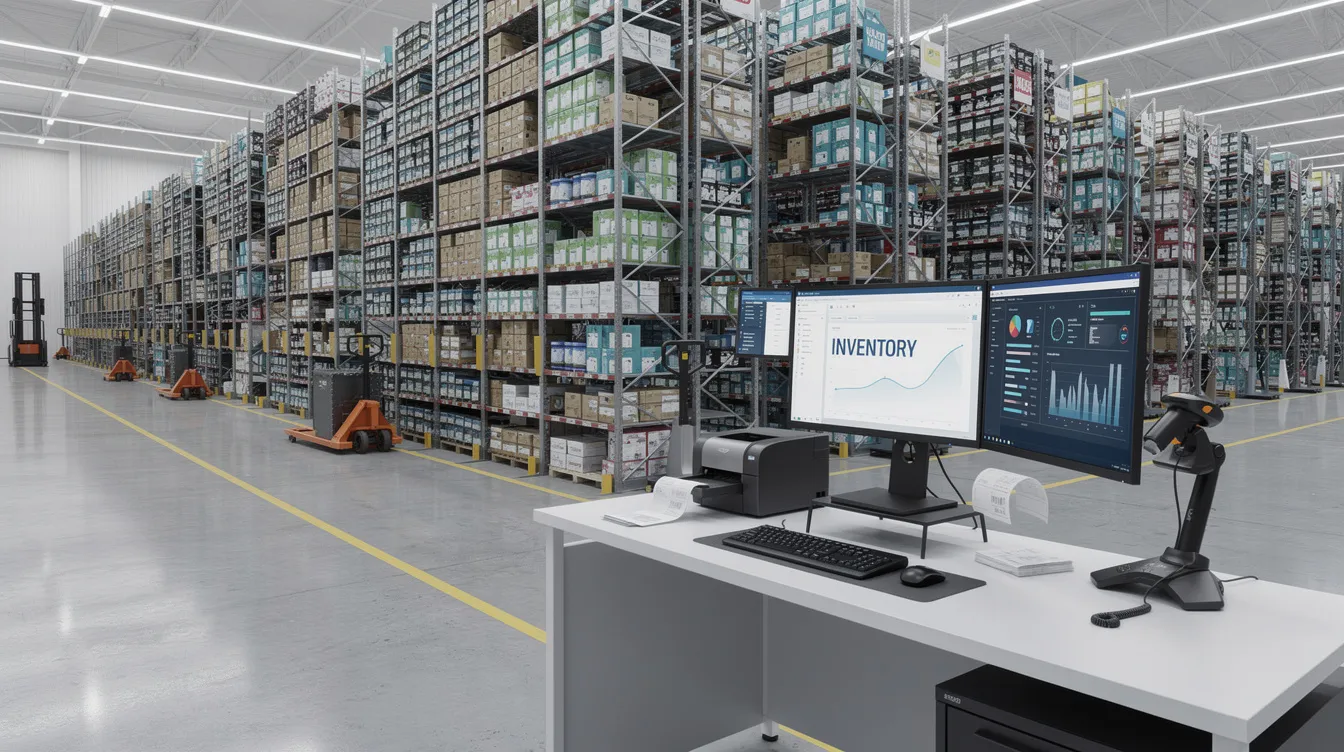
ERP or WMS serves as the stock master, pushing delta updates to WooCommerce using timestamps or change tracking. Utilizing custom architectures built during Phase 2, handle multi-warehouse allocation logic and safety stock rules to prevent overselling during traffic spikes.
Products and Pricing
Data synchronization ensures your ecommerce store always reflects accurate pricing and availability:
- Product attributes: Nightly (ERP → WooCommerce)
- B2B price lists: Near real time (ERP → WooCommerce)
- Regional VAT/tax settings: On change (ERP → WooCommerce)
Customers and Accounts
- B2C: Guest and registered customers mapped to ERP by email or customer ID.
- B2B: Account-based structures with parent/child company hierarchies linked to ERP customer codes and CRM contacts (via custom enterprise extensions).

Phase 6: Security, Compliance, and Governance
Post-2024 enterprise projects must explicitly address GDPR, PCI-DSS standards, alongside regional data residency requirements across EU, UK, and US markets, which is why our enterprise WooCommerce development bakes security and compliance into every engagement.
Authentication and Authorization
- Per-environment API keys (development, staging, production)
- IP whitelisting for known integration partners
- VPN or private links where feasible
- Least-privilege roles on both WooCommerce and ERP sides
Logging and Governance
Centralized, immutable integration logs should include:
- Unique request IDs for traceability
- Timestamps in UTC
- Masked PII to strictly comply with the General Data Protection Regulation (GDPR)
- Role-based access control for log viewing
Progressus.io documents a runbook and RACI matrix (Responsible, Accountable, Consulted, Informed) for integration operations and incident response.
Phase 7: Testing Strategy and Quality Assurance
A robust testing pyramid ensures your integrations survive real-world conditions before going live.
Testing Pyramid
Level | Focus | Tools |
|---|---|---|
Unit | Mapping logic, field transformations | PHPUnit, Jest |
Integration | API flows end-to-end | Postman, automated scripts |
UAT | Business scenarios with real users | Staging environment |
Regression Testing
WooCommerce core and plugin updates can break integrations. Test thoroughly around major version transitions (e.g., the historical WooCommerce 8.x to 9.x jump in 2023–2024, or moving into version 10.x and beyond today) and budget 10-20% annually for integration maintenance.
Progressus.io typically runs parallel operations for 2–4 weeks: live production processes plus mirrored flows in staging to compare data consistency before full cut-over, aligning with our broader WooCommerce website development and long-term support services.
Phase 8: Deployment, Cut-Over, and Hypercare
Deployment is a managed event, not a button click—especially for enterprise businesses with fiscal and operational constraints.
CI/CD and Rollback Planning
- Automated deployments via CI/CD pipelines
- Database backups before every deployment
- Documented rollback procedures tested in staging
- Version control for all integration code
Hypercare Period
The first 2–6 weeks post-go-live require elevated support, daily check-ins between Progressus.io and client IT, accelerated incident resolution SLAs, and real-time dashboard monitoring.
Phase 9: Monitoring, Observability, and Continuous Optimization
Integrations require ongoing attention. Here’s how enterprise teams keep things healthy from 2026 onward.
SLIs and SLOs
Metric | Target |
|---|---|
Order sync success rate | 99.5% |
Mean time to detect (MTTD) | <15 minutes |
Mean time to resolve (MTTR) | <4 hours |
Maximum inventory update delay | <60 seconds |
Continuous Improvement
Store owners benefit from reporting capabilities that provide visibility into integration health and business metrics. Quarterly reviews of error logs, proactive performance tuning before peak events, and feeding new business requirements into a prioritized backlog are essential.
Progressus.io’s Enterprise WooCommerce Integration Approach
Progressus.io is a specialist WooCommerce development agency for midmarket and enterprise merchants who need more than off-the-shelf solutions, grounded in a clear mission, core strengths, and WooExpert leadership.
We follow the methodology outlined in this article, combining the expertise of our dedicated WooCommerce-focused team with:
- Custom plugin development tailored to your business needs
- REST API integrations with major ERP and CRM platforms
- Performance optimization and database optimization for high-traffic sites
- Subscription management and complex B2B pricing workflows
Typical Project Structure: : A full ERP integration (such as SAP Business One or Dynamics 365 BC) typically spans 3–6 months across Discovery, Build, Testing/Deploy, and Hypercare phases.
If you’re planning an enterprise integration in 2026, contact Progressus.io for an integration readiness assessment or technical audit of your existing WooCommerce architecture.
FAQ
How long does an enterprise WooCommerce–ERP integration usually take?
Timelines typically range from 8–24 weeks depending on ERP software complexity, data volume, number of integrated systems, and internal decision-making speed. Integrating with mature platforms like NetSuite or Odoo often moves faster than SAP or Dynamics due to API maturity differences.
Do I need an iPaaS/ESB, or can I integrate WooCommerce directly with my ERP?
Direct WooCommerce-to-ERP integration works well when you have 2-3 systems with clear ownership. An integration platform (MuleSoft, Azure, Boomi, or a custom hub) becomes valuable when you have 5+ systems, complex routing requirements, or a long-term roadmap. Progressus.io helps evaluate both options.
Can WooCommerce really handle enterprise-level scale and complexity?
Yes. From 2020–2026, many merchants successfully run WooCommerce with 50k–500k SKUs and millions in annual GMV. WooCommerce powers roughly 25-30% of the top 1 million online stores and scales effectively when hosting, caching, HPOS databases, and integration design are done correctly.
What data should remain in WooCommerce vs moving fully into the ERP?
Follow system-of-record principles: ERP for financials, inventory tracking, and master data; WooCommerce for storefront experience, content, and customer self-service; CRM for sales interactions.
What if my ERP has limited or legacy API support?
Options for older ERPs include adding a middleware adapter layer that exposes a modern REST API over the legacy system, file-based exchanges (CSV/XML over SFTP), or highly validated database-level integrations. Progressus.io has experience designing such adapter layers so your ecommerce site can utilize modern patterns.