 Skip to content


Magento and WooCommerce are architecturally distant cousins. Magento stores product data in an EAV model, searches with OpenSearch, and runs scheduled cron jobs, while WooCommerce runs on WordPress posts and postmeta. Most of your data transfers cleanly, but the parts that make a Magento store feel like one, including layered navigation, instant search, customer-group pricing, and admin workflows, must be rebuilt on the WordPress side. Here is our thesis, from years of enterprise WooCommerce builds: the data transfer is the easy 20% of the work. The hard 80%, meaning search, pricing logic, and integrations, is what this guide is organized around.

Key Takeaways
- A Magento-to-WooCommerce migration typically takes 3–8 weeks for a small-to-mid store. Catalogs with heavy configurable and bundle products, or with ERP integrations, run 2–4 months.
- Products, customers, orders, and categories migrate with the right tool. Store views, layered navigation, customer-group pricing, tier pricing, admin roles, cron jobs, and OpenSearch-based search do not. They are rebuilt, not transferred.
- Budget the reimplementation, not the transfer. The entities that must be rebuilt, such as search, pricing rules, customer groups, and integrations, carry most of the project’s risk and cost, typically 80% of the budget.
- Magento configurable products become WooCommerce variable products. The attribute mapping for them is the single most failure-prone step of the whole project.
- Magento product URLs end in
.html(e.g.,/product-name.html). Export Magento’surl_rewritetable and build a complete 301 redirect map. Skipping this is the #1 cause of post-migration traffic loss. - Magento and WordPress use incompatible password hashing (Argon2id vs. phpass/bcrypt). Plan a customer password-reset flow and announce it before cutover.
- Keep Magento live during the migration. Enable maintenance mode only on cutover day, and keep the old platform accessible for at least 90 days.
- As of WooCommerce 11.1 (released September 3, 2026), WooCommerce recommends PHP 8.3 or higher, WordPress 6.9+, and MySQL 8.0+ / MariaDB 10.6+. Magento Open Source 2.4.9 (May 2026) requires PHP 8.4 or 8.5 and a dedicated search engine. Budget hosting that exceeds both.
Who this guide is for (and who should hire a specialist WooCommerce agency instead)
This guide is for stores with up to a few hundred SKUs, no customer-group pricing, no ERP integration, and at least one person comfortable with WordPress basics. With that profile, you can run a Magento-to-WooCommerce migration yourself in 3–8 weeks with a tools and hosting budget of $1,000–$3,000.
Hire a specialist agency instead if any of the following apply. The risk of getting it wrong is bigger than the cost of getting it right:
- You have more than a few hundred SKUs, configurable products with many attributes, or bundle products with complex pricing rules.
- Magento syncs with an ERP, PIM, or CRM (SAP, NetSuite, Dynamics 365, Odoo) and that integration must survive the move.
- You rely on OpenSearch-based catalog search and faceted navigation as a core part of the buying experience.
- You use B2B features: customer groups, group pricing, or (on Adobe Commerce) shared catalogs and company accounts.
- You have an established SEO presence where a 30-day ranking dip would cost meaningful revenue.
- You process more than $200k/year and cannot afford extended downtime.
Why Magento stores are moving to WooCommerce in 2026

Magento 1 reached end-of-life on June 30, 2020, per Adobe’s official lifecycle policy. There have been no security patches since, which forced the last generation of holdouts onto Magento 2 or off the platform entirely.
Magento 2 is not cheap to run. Current versions carry heavy server requirements. Magento Open Source 2.4.9 (released May 12, 2026) requires PHP 8.4 or 8.5, and every 2.4.x line needs a dedicated search engine. OpenSearch is the default, Elasticsearch 8 remained supported as an alternative on 2.4.8, and 2.4.9 drops Elasticsearch entirely in favour of OpenSearch 3. Add the cache layer (Valkey 9 replaces Redis in 2.4.9), a message broker such as RabbitMQ, and cron workers, per Adobe’s system requirements. You are paying for a cluster of services, including database, search, cache, and queue workers, where WooCommerce runs as a single PHP application on a standard WordPress host with no mandatory external services.
Magento Open Source development continues. Version 2.4.9 shipped on May 12, 2026 with PHP 8.5 support, new GraphQL APIs, and 501 fixed issues in the Open Source edition (560 in Adobe Commerce, which includes all Open Source fixes). Staying current is a project in itself, though. Each major release brings new server requirements and breaking changes, and quarterly security patches demand constant maintenance attention. As of September 2026, 2.4.9 remains the latest release under Adobe’s new annual cadence.
Merchants evaluating long-term platform bets have been moving to WooCommerce in significant numbers, and WooCommerce has the scale to absorb them. Per W3Techs (snapshot of July 3, 2026), which measures usage across the sites it surveys rather than every store on the web, WooCommerce powers 8.2% of all websites and 48.6% of ecommerce systems, while WordPress itself runs 41.5% of the web. These figures update daily, so re-check them before quoting. Magento’s share is a fraction of that. WordPress also gives you a talent pool, a plugin ecosystem, and hosting costs that are simply not comparable to Magento’s.
What migrates from Magento to WooCommerce (and what doesn’t)
Magento’s data model is the reason this migration is harder than it looks. EAV (Entity-Attribute-Value) is Magento’s product data model: instead of one wide product table, attributes live in a series of catalog_product_entity_* tables with one row per attribute value. WooCommerce stores product data as WordPress posts plus postmeta rows. Every migration tool bridges this gap for you, but the bridge has limits.
The Magento-to-WooCommerce concept map
This is the mapping we use on every Magento migration we run at Progressus, and it doubles as the inventory for the risk framework below. Keep it on the wall during yours. It tells you what a migration tool can do for you and what it cannot.
| Magento 2 entity | WooCommerce counterpart | How it transfers |
|---|---|---|
| Simple product | Simple product | Direct |
| Configurable product | Variable product | Via attribute mapping, the #1 failure point |
| Bundle product | Product Bundles (paid extension) | Items transfer; pricing rules rebuilt |
| Grouped product | Grouped product | Direct |
| Downloadable / virtual product | Downloadable / virtual product | Direct |
| Custom options | Product Add-Ons (paid extension) | Rebuilt manually; simple options may map |
| EAV attributes & attribute sets | Global attributes | Values map to terms; attribute sets don’t exist in WooCommerce |
| Tier pricing | Dynamic or wholesale pricing extension | Rebuilt; WooCommerce core has no quantity-pricing field |
| Categories (incl. anchor) | Product categories | Direct; anchor flag lost |
| Store views / multiple websites | Single store + WPML/Polylang | Rebuilt |
| Customer groups | User roles / B2B plugins | Rebuilt |
| Layered navigation | Filter plugins (FacetWP, JetSmartFilters, YITH) | Rebuilt |
| Catalog search (OpenSearch/Elasticsearch) | MySQL search / SearchWP / ElasticPress / Algolia | Rebuilt; expect a UX regression if unplanned |
| Cart & catalog price rules | Coupons / Smart Coupons / Dynamic Pricing | Recreated, not imported |
URL rewrites (url_rewrite table) | 301 redirects | Export the table, build the redirect map |
| CMS pages & blocks | WordPress pages & blocks/widgets | Content transfers; layout rebuilt |
| Reviews & ratings | Built-in reviews | Transfers via tools; per-dimension ratings simplify |
| Admin users, roles, ACL | WordPress user roles | Rebuilt |
| Cron jobs | WP-Cron / Action Scheduler | Rebuilt |
| Transactional email templates | WooCommerce emails | Rebuilt |
What migrates cleanly
- Products: name, description, SKU, prices, special price, stock, weight, dimensions, media gallery, category assignments, downloadable and virtual products.
- Configurable products, as variable products, once you map Magento attributes (size, color, material) to WooCommerce global attributes and their terms.
- Customers: name, email, addresses, account creation date, order history, customer attributes.
- Orders: line items, prices, taxes, shipping, status, order dates. Magento order IDs are sequential; WooCommerce order numbers are WordPress post IDs by default, so install Sequential Order Numbers Pro ($49/year) if continuity matters.
- Categories, including their hierarchy, though Magento’s “anchor” flag (include subcategory products in layered navigation) has no equivalent.
- CMS pages and content, transferred as WordPress pages. Layout and blocks are rebuilt.
- Reviews: star ratings import. Note that Magento’s per-dimension ratings (e.g., “Quality 4/5, Value 3/5”) collapse into a single WooCommerce star rating.
What does NOT migrate

- Storefront design. Magento’s theme system, built on XML layout files and
.phtmltemplates with Luma as the default sample theme, is proprietary to Magento. Your new store gets a fresh WooCommerce theme. This is a rebuild, not a skin swap. - Extensions and modules. Business logic in Magento modules from Amasty, Aheadworks, Mageplaza, Smile, and the rest has no 1-click port. Each one is evaluated, replaced, or reimplemented.
- Tier pricing. WooCommerce core has no quantity-based or tiered pricing field at all, so Magento tier prices have nowhere native to land. Rebuild them with a dynamic-pricing or wholesale extension (WooCommerce Dynamic Pricing, Wholesale Suite, YITH Dynamic Pricing). Customer-group tiers are a separate effort again.
- Layered navigation and search relevance. Magento 2’s faceted navigation and instant search run on OpenSearch or Elasticsearch. WooCommerce’s default search runs LIKE queries against MySQL and is visibly weaker on large catalogs. Plan a search plugin or a reimplementation before cutover, or your search conversion will drop.
- Store views and multiple websites. Magento’s multi-store architecture has no native WooCommerce equivalent. Multilingual needs WPML or Polylang; separate sites need WordPress Multisite or separate installs.
- Customer groups and group pricing. Customer groups map to nothing out of the box, and group pricing requires a B2B plugin (Wholesale Suite, B2BKing) or custom logic.
- Cart price rules and catalog price rules. Recreated manually as coupons and smart or dynamic pricing. The rule engines are not compatible.
- Admin users, roles, and ACL permissions. Rebuilt from scratch as WordPress user roles and capabilities.
- Cron jobs. Magento’s
crontabprocesses (indexing, exports, notifications, marketing automation) must be reimplemented with WP-Cron or Action Scheduler equivalents. - Payment vaults and tokens. Stored cards from Magento’s Braintree, PayPal, or Stripe integration do not transfer. Customers re-enter payment details.
- Customer passwords. Magento uses Argon2id password hashing when PHP’s Sodium extension is available, as it is on virtually all modern PHP 8 builds. WordPress used phpass historically and, since WordPress 6.8 (April 15, 2025), hashes new passwords with bcrypt using an SHA-384 pre-hash. Neither scheme can read Magento’s hashes, so plan a password-reset flow.
- Store credit, reward points, and gift card balances (Adobe Commerce features). Reissued manually on the WooCommerce side with a gift-card or store-credit extension.
- Analytics history. GA4, Meta Pixel, and server-side tag history stays in the old platform. New data starts on cutover day.
A Magento-to-WooCommerce migration is a re-platforming project, not a data transfer. Treat it as such and it goes smoothly; treat it as a copy-paste and it goes badly.
How Progressus scopes a Magento migration: the risk-tier framework
Migration tool vendors price by entity counts: products, customers, orders. That pricing model gets the project wrong. The entities that transfer cleanly are the easy 20% of a Magento-to-WooCommerce migration. The risk, the cost, and the schedule live in the 80% that must be rebuilt: search, faceted navigation, customer-group pricing, price rules, cron jobs, admin workflows, integrations. We budget backwards, so most of the project plan goes to reimplementation and the data transfer is a well-understood step in the middle.
The three risk tiers
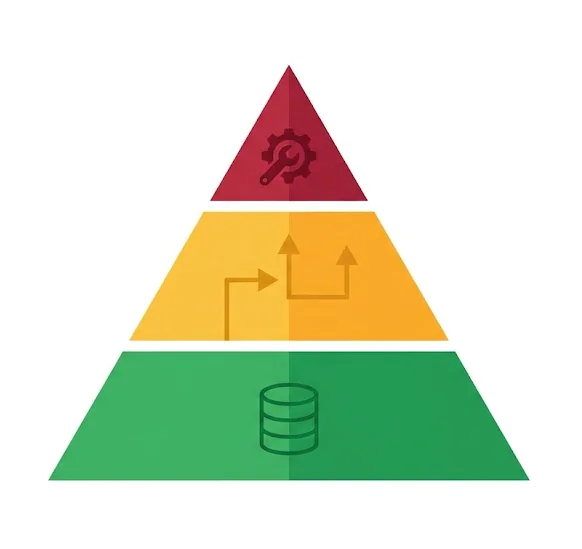
Before any data moves, we classify every Magento entity into one of three tiers. The concept map above is the tiered inventory; this is what each tier means for your project.
- Tier 1, transfers directly: simple, grouped, downloadable, and virtual products; customers; orders; categories; CMS content. Migration tools handle these, so your job is verification, not design.
- Tier 2, transfers with mapping: configurable products (attribute mapping), reviews, URL rewrites. These work, but each fails silently in specific ways, which is exactly why the free demo migration exists.
- Tier 3, must be rebuilt: catalog search, layered navigation, customer groups and group pricing, tier pricing, cart and catalog price rules, admin roles, cron jobs, transactional email templates, integrations. Nothing on this list is migrated. Everything on it is a workstream with an owner, a spec, and a test.
The discovery pass
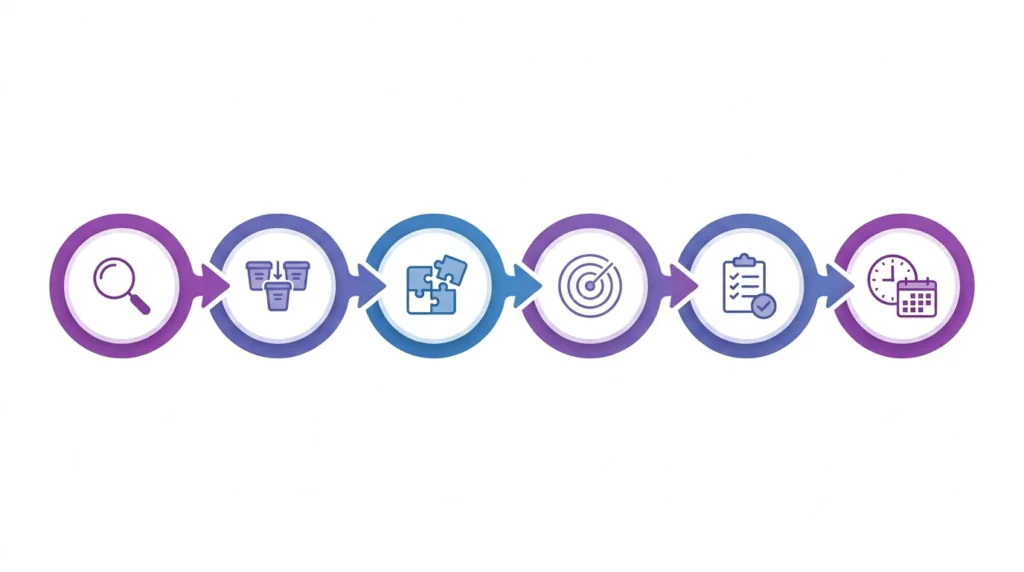
The framework only works if the inventory is real. Our discovery pass for a Magento migration runs in six steps:
- Data audit. Pull entity counts and quality signals straight from the Magento database:
url_rewriterows, attribute sets, configurable-product counts, order volume, orphaned media. - Risk-tiering. Classify every entity into tiers 1–3 using the concept map, and size each tier in effort.
- Extension and integration inventory. List every module and API connection (ERP, PIM, CRM, payments, shipping) and assign a rebuild owner.
- Search experience audit. Measure what your OpenSearch catalog does today (facets, autocomplete, relevance) and set the replacement bar for the WooCommerce side.
- Rebuild backlog and sequencing. Order the tier-3 work so no business function is missing on cutover day.
- Migration plan with parallel run. Schedule the data transfer, delta re-syncs, and rollback window against the rebuild milestones.
A migration tool moves data. It does not migrate your business logic.
This is why we rarely quote a Magento migration by entity count. When a store shares its budget with us, the first thing we check is whether it covers the tier-3 list. In our experience across enterprise WooCommerce builds, that list is where migration budgets go to die.
The migration tool landscape
Three approaches work in 2026. Pick based on catalog size, budget, and how much custom data mapping you need.
Option 1: Cart2Cart (managed SAAS, most popular)
Cart2Cart is a SAAS migration service that connects to both platforms via API and handles the transfer for you. It supports Magento 1 and Magento 2 as sources and WooCommerce as a target, with a dedicated Magento-to-WooCommerce flow. The service runs the migration on its own servers, so your Magento store stays live throughout.
- Free demo migration of a small sample, typically around 10 products, 10 customers, and 10 orders, completing in roughly 30 minutes so you can evaluate accuracy before paying.
- Supports creating 301 redirects from old Magento URLs to new WooCommerce URLs.
- Supports recent-data re-sync and Smart Update for orders and customers added after the initial run, usually as paid add-ons.
- Pricing is entity-based and scales with volume. Entry pricing is quoted differently across Cart2Cart’s own listings (roughly $29 to $69 to start), so check their estimator, as tiers change.
Best for: stores that want a hands-off experience. The entity-based model scales from small catalogs to large ones; cost rises with volume rather than capability.
Option 2: LitExtension (managed SAAS, alternative)
LitExtension supports 140+ source platforms, including both Magento 1 and Magento 2 to WooCommerce, and is widely used by agencies running client migrations.
- Free demo migration of up to 20 products, 20 customers, and 20 orders. Note that the “under 100 entities” figure often quoted refers to their free full-migration tier for very small stores, not the demo.
- SEO URL preservation as an add-on during setup.
- Post-migration support for 60 days, including unlimited Recent Data Migration (free when new entities are within 5% of the migrated total) and one free re-migration of up to 500 entities. Smart Update is free and unlimited for 90 days.
- Pricing by entity count; use their online estimator.
Best for: stores that want a flexible pricing model or agencies running multiple migrations.
Option 3: Manual export + WP All Import (most control)
Magento 2 has a built-in data transfer module (System → Data Transfer → Export) that produces CSVs for products, advanced pricing, customers, and customer addresses, a genuine advantage over platforms like Shopify, which don’t expose this natively. Order history is not part of the native export, so pull it via the Magento 2 REST API. On the WooCommerce side, WP All Import maps those CSVs into products and orders via its WooCommerce Import Add-On, and into customers via its User Import Add-On. Packages currently run roughly $199/year for Import Pro and $299/year for Import + Export Pro.
- Full control over field mapping, custom attributes, and relationships.
- No password migration, so customers reset on first login.
- You build the redirect map, the delta re-sync, and the rollback plan yourself.
Best for: developers and agencies running custom migrations with unusual data requirements.
Which one should you pick?
- Under a few hundred SKUs, standard products: Cart2Cart or LitExtension. Run the free demo first and check configurable-product accuracy.
- Larger catalogs with configurable and bundle products: Cart2Cart or LitExtension still work, but budget manual QA on every variation.
- ERP/PIM/CRM integration, B2B pricing, or a search experience worth preserving: engage a specialist agency that combines a SAAS tool with custom scripts for the parts that won’t transfer cleanly.
- Tight budget and a developer on hand: manual export with WP All Import.
Before you migrate: the pre-flight checklist

This is the work you do in the weeks before any data moves. Skipping it is the single biggest cause of failed migrations.
- Back up the Magento database and media. Run a
mysqldumpof the Magento database and copypub/media/(product images, documents, swatches) to safe storage. This is your safety net and your rollback path. - Export native CSVs. In Magento Admin → System → Data Transfer → Export, export products, advanced pricing, customers, and customer addresses. Export runs asynchronously through the message queue and requires both cron and the
exportProcessorconsumer to be running. Order history is not part of the native export, so pull it via the REST API or let the migration tool do it. - Export the
url_rewritetable. Magento stores every catalog URL rewrite here, and it becomes your 301 redirect map. We come back to this in Step 4. - Clean your data. Remove discontinued SKUs, merge duplicate products, standardize attribute sets, and fix broken category assignments. Data cleaning costs 10× less before the migration than after.
- Set up new hosting. WooCommerce 11.1 (the current line as of September 2026) recommends PHP 8.3 or higher, tested up to PHP 8.4, with WordPress 6.9+ and MySQL 8.0+ / MariaDB 10.6+. Confirm HTTPS is configured. WooCommerce has proposed raising the PHP minimum to 8.1 from the 11.5 release, currently targeted for January 2027, so provision above the floor.
- Install WordPress + WooCommerce and run the Setup Wizard for base location, currency, and tax. Full instructions in our guide on how to download and install WooCommerce.
- Set permalinks before importing anything. In WordPress → Settings → Permalinks, choose “Post name,” then set your product base in WooCommerce → Settings → Permalinks (default
/product/is fine). WooCommerce cannot natively reproduce Magento’s.htmlsuffix without custom rewrite rules, so don’t fight it. The 301s will carry the old URLs. - Decide whether to enable HPOS. HPOS (High-Performance Order Storage) is WooCommerce’s modern order storage system, enabled by default for new installations since WooCommerce 8.2. It stores orders in dedicated tables instead of
wp_postsandwp_postmetaand is meaningfully faster. Before importing, verify your migration tool and every planned extension are HPOS-compatible. See our WooCommerce HPOS guide for the compatibility check. - Set up payment gateways from scratch. Magento’s gateway vaults and credentials don’t transfer. Install Stripe, PayPal, Braintree, or WooPayments, and test in sandbox before go-live.
- Configure shipping zones and methods. WooCommerce’s shipping model (zones → methods) is different from Magento’s (carriers plus table rates). Carrier-specific extensions (UPS, FedEx, DHL) are paid and configured separately.
- Pick a theme. Magento themes don’t port. Choose a WooCommerce-compatible theme (Storefront for a clean baseline; Flatsome, Woodmart, or Kadence for design-led stores) and build it with real imported data before cutover.
- Install the baseline plugin stack: SEO (Rank Math or Yoast), backups, security (Wordfence or Sucuri), and a caching solution. Magento’s Varnish and cache-server layer has no equivalent here, so your new cache plugin is it.
- Budget for paid extensions. WooCommerce core is free, but a serious store typically runs $500–$2,000/year in paid extensions (Subscriptions, Product Bundles, Product Add-Ons, carrier shipping, dynamic pricing, B2B plugins).
- Control your domain. Ensure the domain sits at a registrar you control, not a Magento-host-provided panel. Lower DNS TTL to 300 seconds 48 hours before cutover.
The migration itself: step by step
At this point you have fresh hosting with WordPress + WooCommerce installed, a clean data export, a chosen migration tool, and your theme, payments, and shipping configured. Now move the data.
Step 1: Run the free demo migration
Both SAAS tools offer free demos. Use them, because this is where configurable-product problems surface.
- Check that configurable products arrive as variable products with correct variations (size × color combinations intact, no ghost variations).
- Check that attribute values (brand, material, custom attributes) landed in the right place, meaning WooCommerce global attributes or product custom fields.
- Check special prices and stock counts against the Magento export, and note which products carry tier prices so the rebuild list is accurate.
- Check that images render and no orphan media remains after the full import.
If the demo looks off, fix the source data or contact the tool’s support before running the full migration. Every issue is cheaper to fix before the data moves.
Step 2: Run the full migration
The SAAS tools run the migration on their servers while your Magento store stays live, so customers keep buying during the transfer. Typical runtime is a few hours for hundreds of products, up to 24–48 hours for catalogs with 50,000+ SKUs and deep order history. The tool reports entity counts at the end; compare them to your export totals to confirm nothing was dropped.
Step 3: Verify the data
Do not trust the tool’s success report. Verify manually:
- Open 10 products at random and check images, descriptions, variations, prices, stock, categories, and attributes.
- Open 10 configurable products specifically. Variations are where silent data loss happens.
- Open 10 customers and 10 orders and check addresses, line items, taxes, totals, and statuses.
- Spot-check special prices against the Magento export, and confirm the tier-price rebuild is queued rather than assumed.
- Check for orphaned images in the media library, a sign the image migration failed quietly.
Step 4: Build out 301 redirects
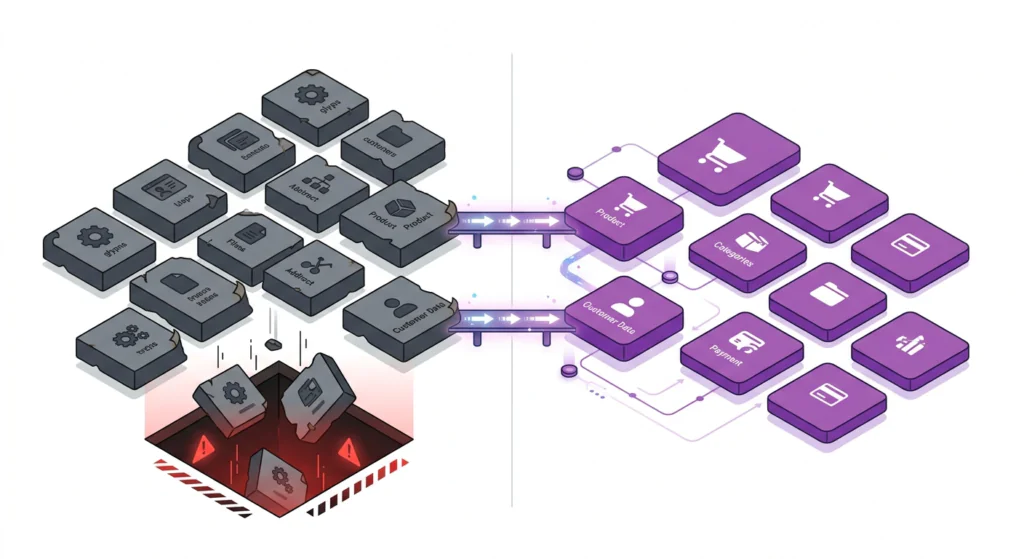
Magento and WooCommerce URLs are structured differently:
- Magento default:
https://example.com/product-name.htmlandhttps://example.com/category-name.html - WooCommerce default:
https://example.com/product/product-name/andhttps://example.com/product-category/category-name/
Magento also lets merchants set custom URL keys, so never generate the redirect map from a template. Read it from the url_rewrite table:
SELECT request_path, target_path FROM url_rewrite WHERE redirect_type = 0;One point of confusion worth clearing up: in Magento, redirect_type = 0 does not mean “permanent.” It means “no redirect,” identifying the canonical rewrite that Magento serves directly. Those are exactly the live URLs you need as the source side of your map. Values of 301 and 302 are existing permanent and temporary redirects, and you should export those too so old redirect chains survive the move.
Every old URL needs a 301 to its new equivalent. For most stores that means two maps: product redirects (/old-handle.html → /product/new-slug/) and category redirects (/old-category.html → /product-category/new-slug/). Manage them with the free Redirection plugin (bulk CSV import supported) or at the server level (.htaccess/nginx) when you have thousands of rules. Rank Math includes a redirection module in its free tier; Yoast’s redirect manager is a Premium feature.
Step 5: Set up structured data and SEO continuity
- Generate the new XML sitemap (Rank Math or Yoast both do this) and submit it in Google Search Console on cutover day.
- Verify Product, Offer, and AggregateRating schema on a sample of products with Google’s Rich Results Test.
- Check Open Graph and Twitter Card tags for correct social previews.
- Note that the Search Console “Change of Address” tool works only on domain-level properties and requires a different verified destination domain. Since your domain stays the same, 301s plus a fresh sitemap are the correct path.
Step 6: Recreate critical Magento extensions as WooCommerce equivalents
This is the work the migration tool does not do. For each Magento module you depend on, identify the equivalent before cutover:
- Search and layered navigation, the biggest gap. Install SearchWP, ElasticPress, or Algolia for search, and FacetWP, JetSmartFilters, or YITH for filters. Test with real catalog data and do not cut over on default search.
- Tier and quantity pricing, which has no home in WooCommerce core. Rebuild with WooCommerce Dynamic Pricing, Wholesale Suite, or an equivalent, and re-enter the price breaks from your Magento advanced-pricing export.
- Custom options: WooCommerce Product Add-Ons (paid) or a custom implementation for complex option logic.
- B2B and customer groups: Wholesale Suite or B2BKing for group pricing and wholesale tiers.
- Store credit, reward points, and gift cards: a WooCommerce gift-card or store-credit extension, reissued with fresh codes.
- Email and transactional flows: rebuild order, shipping, and abandoned-cart emails in Klaviyo, Mailchimp, or ActiveCampaign. Magento’s transactional email templates don’t transfer.
- Multilingual: WPML or Polylang, with per-language content re-mapped.
- ERP/PIM/CRM integrations: SAP, NetSuite, Dynamics, and Odoo syncs never port 1:1. These are full integration projects, and our enterprise WooCommerce integration methodology covers the patterns we use for 50k+ SKU ERP syncs.
Cutover day: how to switch DNS safely
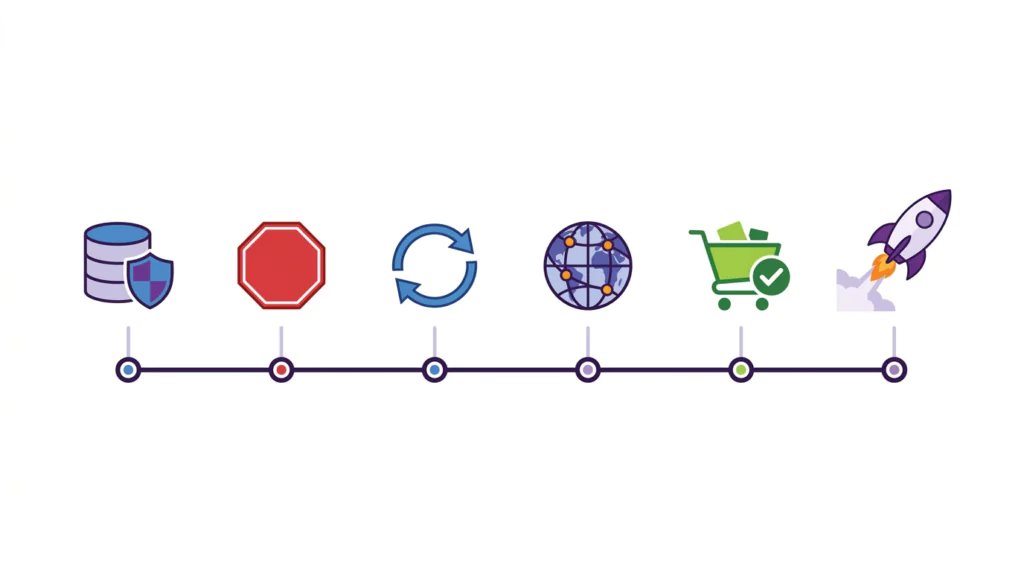
Cutover happens in a low-traffic window: early morning on a weekday, never during a sale period or peak season.
- Take a final full backup of Magento:
mysqldumpplus a copy ofpub/media/. - Stop new orders by putting Magento into maintenance mode (
bin/magento maintenance:enable) so the storefront is closed but data stays intact. - Disable payment authorizations on Magento so no new orders slip through after the last re-sync.
- Run the tool’s recent-data migration to pull in the last 24–48 hours of orders and customers.
- Update the DNS A record at your registrar to point at the new WooCommerce hosting. With the 5-minute TTL set 48 hours earlier, propagation completes within minutes for most resolvers.
- Verify the new site on your domain: homepage, categories, products, cart, checkout, login.
- Run a real test transaction (small purchase, live mode, then refund), a real test signup, and a password-reset test for a migrated customer.
- Update payment gateway webhook URLs if your gateways require it, and resubmit the new sitemap in Search Console.
The first 30 days after cutover
- Monitor 404s daily in Google Search Console. Any unexpected 404 on an indexed page gets a redirect added the same day.
- Re-sync recent orders and customers at the end of week one. LitExtension includes free recent-data migration in its 60-day support window, and Cart2Cart offers re-migration plans.
- Watch checkout completion rate. A drop of more than 10% versus the Magento baseline usually means a payment configuration issue, an unexpected tax or shipping calculation, or a checkout UX regression.
- Watch organic search traffic. As a rough practitioner benchmark rather than a guaranteed range, expect a dip of roughly 10–20% in the first 2–4 weeks with recovery over 6–12 weeks. A complete 301 map is what shortens it. Moz’s migration guide and Google’s own site-move documentation both stress redirect completeness as the main lever here.
- Watch search-on-site conversion specifically. If Magento’s OpenSearch relevance was doing heavy lifting, this is where an unplanned search downgrade shows up first.
- Email customers about the move, the new login experience, and the need to re-enter payment details. Include a one-time discount code to drive a validating first purchase.
- Keep Magento backed up and accessible for 90 days. Don’t delete it, because chargebacks, tax inquiries, and historical data disputes all point back to it.
Common migration mistakes (and how to avoid them)
- Skipping 301 redirects. The #1 cause of post-migration traffic loss. Build the map from
url_rewritebefore cutover, not after. - Treating it as a design port. Magento themes don’t port. Build a fresh WooCommerce theme with real data, and take the opportunity to improve rather than replicate.
- Assuming extension equivalents exist. Magento modules like layered navigation and OpenSearch-backed search have no 1:1 ports. Budget the rebuild work, or cut over with a degraded shopping experience.
- Assuming tier pricing lands somewhere. There is no core WooCommerce field for it. If nobody owns the dynamic-pricing rebuild, your wholesale and volume buyers see retail prices on day one.
- Underestimating configurable products. Variation mapping fails silently. Verify every configurable product’s variations in the demo and after the full run.
- Forgetting cron jobs. Magento’s scheduled tasks (product exports, inventory syncs, notification batches) silently stop working. Rebuild each one as WP-Cron or Action Scheduler equivalents.
- Assuming payment data migrates. Vaults and tokens don’t transfer. Set up gateways fresh and test thoroughly.
- Forgetting the password reset. Magento’s Argon2id hashes can’t be converted to WordPress’s schemes. Communicate the reset flow before cutover, not after.
- Cutting over in peak season. Migrate in your slowest window. Black Friday week is how migrations become careers.
- Not telling customers about the move. New login, new checkout, re-entered payment data. Send a clear email 7 days before and 1 day before cutover.
- Deleting Magento on day 1. Keep it in maintenance mode for at least 90 days.
Data privacy and GDPR considerations
Moving customer data between platforms is a legal step, not just a technical one. A few things to settle before you start. None of this is legal advice, so confirm the specifics with your own counsel or DPO.
- Get the roles right first. You are the data controller. Your new host, migration tool, and email platform are processors or sub-processors. Changing platforms does not by itself create a new processing purpose, so you generally do not need to pick a fresh lawful basis. The basis was set when the data was collected, typically performance of a contract under Article 6(1)(b) for order and account data, or consent for marketing.
- Put an Article 28 DPA in place with every new processor. That is the actual requirement: a written data processing agreement binding the processor to act only on your documented instructions, with the Article 28(3) security and confidentiality terms and sub-processor authorization under Article 28(4). Update your Article 30 records of processing to reflect the new stack.
- Confirm hosting jurisdiction. Magento may be hosted in one region and your new WordPress host in another. If that is a transfer outside the EEA, confirm your host’s data processing addendum and its transfer mechanism, such as Standard Contractual Clauses.
- Honor data subject requests on both platforms. For at least the first 90 days, an erasure or export request may apply to data in both Magento and WooCommerce. Handle both.
- Update your privacy policy to name the new processors: hosting, payment gateways, email marketing, analytics.
What a successful migration looks like at the 90-day mark
You can call a Magento-to-WooCommerce migration a success if, 90 days after cutover:
- Organic search traffic is within 10% of pre-migration levels and trending upward.
- Checkout completion rate is within 5% of the Magento baseline.
- At least 95% of returning customers can log in, with the rest handled via password reset.
- Configurable-product sales share has not regressed, meaning variations and stock are correct.
- Volume and wholesale buyers see the right prices, because the tier-pricing rebuild actually shipped.
- On-site search conversion is stable. If you replaced OpenSearch, the new search is pulling its weight.
- All 301s resolve correctly, with no 404s on previously indexed pages.
- Every Magento module has a working equivalent: cron-driven jobs run on schedule, integrations sync, B2B pricing applies.
- All paid extensions are licensed, updated, and HPOS-compatible.
Conclusion: a re-platforming project, not a data transfer
There is no “migrate in one click” button from Magento to WooCommerce, and the parts that don’t transfer are exactly the parts that made your Magento store distinctive: search, faceted navigation, B2B pricing, admin workflows. Treat the migration as a rebuild with a data-transfer step in the middle, and the well-trodden tooling (Cart2Cart, LitExtension, or manual export) handles the boring parts while you handle the strategy.
The three most common reasons these migrations fail: skipping 301 redirects, treating it as a design port rather than a fresh build, and underestimating the reimplementation of Magento extensions on the WordPress side. We’ve watched the 90/10 mistake repeat across enterprise builds, with nine dollars spent on data transfer for every one on reimplementation. Run the budget the other way, and the migration becomes boring. Boring is the goal.
We run these projects end-to-end at Progressus: discovery, data migration, redirect mapping, extension re-implementation, and post-launch support. As a certified Pro Partner in WooCommerce’s official development-services directory with proven results for clients like PostNL and Automattic, we specialize in complex WooCommerce builds other agencies won’t touch. If you’d like a second opinion on your migration plan, including a tiered risk assessment like the one above, get in touch and we’ll review your scope for free.
Frequently asked questions
How long does it take to migrate from Magento to WooCommerce?
Plan for 3–8 weeks for a typical small-to-mid store with up to a few hundred SKUs. Catalogs with heavy configurable and bundle products, ERP integrations, or B2B pricing structures run 2–4 months. The data transfer itself takes hours to a couple of days. The design, extension reimplementation, redirects, and testing dominate the timeline.
How much does a Magento-to-WooCommerce migration cost?
DIY: roughly $1,000–$3,000 in tools, hosting, and theme licenses, plus $500–$2,000/year in paid WooCommerce extensions going forward. Hiring a specialist agency: typically $8,000–$60,000+ depending on catalog size, integrations, and design scope. Magento migrations run higher than Shopify migrations because of data-model and extension complexity. Whatever the number, check it against the tier-3 rebuild list before comparing quotes.
Can I migrate Magento configurable products to WooCommerce?
Yes. Configurable products become WooCommerce variable products, with Magento attributes (size, color) mapped to WooCommerce global attributes and terms. This is the most failure-prone step of the migration, so verify variations in the free demo migration and again after the full run, and watch for ghost or missing variations.
Does Magento tier pricing migrate to WooCommerce?
No. WooCommerce core has no quantity-based or tiered pricing field, so there is nowhere native for Magento tier prices to land. Export Magento’s advanced pricing data, then rebuild the price breaks in a dynamic-pricing or wholesale extension such as WooCommerce Dynamic Pricing, Wholesale Suite, or YITH Dynamic Pricing. Customer-group tiers need a B2B plugin on top of that. Treat this as a rebuild workstream with an owner, not a data-transfer line item.
What happens to my Magento SEO URLs?
Magento default URLs end in .html (/product-name.html, /category-name.html); WooCommerce uses /product/product-name/ and /product-category/category-name/. Every old URL needs a 301 redirect. Export Magento’s url_rewrite table and generate the redirect map from it, because merchants can set custom URL keys and templates will lie to you. Remember that redirect_type = 0 marks canonical rewrites rather than permanent redirects, so capture the 301 and 302 rows as well.
Do Magento customers need to reset their passwords?
Yes, in almost all cases. Magento uses Argon2id password hashing when PHP’s Sodium extension is available. WordPress historically used phpass, and since WordPress 6.8 (April 2025) it hashes new passwords with bcrypt using an SHA-384 pre-hash. None of these schemes can read Magento’s hashes, so customers reset their passwords on first login. Announce this clearly before cutover and test the reset flow on a migrated account.
What replaces Magento’s layered navigation and catalog search?
Magento 2 runs catalog search on OpenSearch, with Elasticsearch supported up to 2.4.8 and removed in 2.4.9. WooCommerce defaults to MySQL-based search, which is weaker on large catalogs. For stores over a few thousand SKUs, install SearchWP, ElasticPress, or Algolia for search and FacetWP, JetSmartFilters, or YITH for faceted filtering, and test with real data before going live. Skipping this is a common post-migration conversion regression.
Does my Magento multi-store setup migrate?
No. Magento’s store views and multiple websites have no native WooCommerce equivalent. Multilingual stores are rebuilt with WPML or Polylang; genuinely separate websites either become WordPress Multisite instances or separate installs. Plan this before the data move, not after.
Can I migrate Magento 1 to WooCommerce?
Yes. Cart2Cart and LitExtension both support Magento 1 as a source, and the tools handle the data bridge the same way. Magento 1 reached end-of-life on June 30, 2020, so there are no security patches to wait for. If you’re still on Magento 1, the sooner you move, the better. Expect messier data exports than Magento 2.
What is HPOS, and does my migration tool support it?
HPOS (High-Performance Order Storage) is WooCommerce’s modern order storage system, enabled by default for new installations since WooCommerce 8.2. It stores orders in dedicated tables (wp_wc_orders, wp_wc_order_addresses, wp_wc_order_operational_data, wp_wc_orders_meta, using your site’s table prefix) instead of WordPress’s wp_posts and wp_postmeta, making order queries significantly faster. In Progressus’s Mighty Kids HPOS migration, order database queries went from 1.8s to 0.4s (4.5×) and order processing from 6s to 2.1s (3×), at zero downtime. Confirm your migration tool and every planned extension are HPOS-compatible before importing.
When should I hire an agency for a Magento-to-WooCommerce migration?
Hire a specialist if you have more than a few hundred SKUs with configurable or bundle complexity, an ERP/PIM/CRM integration that must survive the move, B2B customer-group pricing, an OpenSearch search experience worth preserving, an established SEO presence, or revenue levels where extended downtime is unacceptable. For smaller standard catalogs, the DIY path with Cart2Cart or LitExtension plus disciplined verification is workable. If you need help, Progressus offers end-to-end migration services with a free scope review.