Skip to content

A practical, fact-checked guide to commissioning a custom WooCommerce plugin — when you actually need one, what the process looks like, what it should cost in 2026, and how to avoid the most common mistakes.
Key Takeaways
- Custom WooCommerce plugin development in 2026 typically costs $3,000 to $50,000+ depending on complexity, integrations, and who’s building it — a scoped minimum viable plugin starts around $3,000.
- The five-stage process is the same regardless of project size: discovery, design, development, testing, and deployment + support. Skipping discovery is the #1 cause of failed projects.
- You should always have a written statement of work (SOW), milestone-based payments, a warranty period, and an IP-ownership clause before any code is written.
- WordPress plugins must be GPL-compatible. If a vendor refuses to give you source code or rights, that is a serious red flag.
- Security, HPOS compatibility, and Cart/Checkout blocks support are the three most common technical landmines in 2026. Make sure the agency or developer accounts for all three.
- Progressus’s plugin portfolio is public and verifiable: Yoco’s payment gateway plugin, PostNL’s and DHL’s shipping plugins, Faire’s marketplace integration, and maintenance of 18 official WooCommerce extensions for Automattic (250+ issues resolved).
When you actually need a custom WooCommerce plugin
Most stores will never need a custom plugin. The WooCommerce marketplace lists hundreds of official extensions — with thousands more available via WordPress.org and third-party marketplaces — covering most common needs: payment gateways, shipping methods, subscriptions, gift cards, marketing automation, memberships, bookings, and more. A serious store typically runs $500–$2,000/year in paid extensions, and that covers most use cases.
You need a custom plugin when the marketplace doesn’t have an answer — usually because your business logic is specific to your industry, your operation, or your competitive advantage. Common reasons:
- Unique business rules that no existing plugin supports. Examples: tiered B2B pricing tied to a specific contract, custom approval workflows, equipment rental logic, custom configurator with conditional pricing, a quote-to-order conversion flow.
- Integration with proprietary systems. Examples: a custom ERP, a proprietary inventory system, an internal logistics platform, a non-public API of a supplier or partner. For complex scenarios, see our guide to enterprise WooCommerce integration methodology.
- Replacing an existing plugin that almost works. Sometimes the closest marketplace plugin handles 80% of what you need, but the remaining 20% is critical. A custom plugin that does exactly what you need is often cheaper than paying for a $200–$500/year subscription for the partial fit and then living with its limitations.
- Competitive advantage through functionality. If a specific feature is part of why customers choose you, building it as a proprietary plugin (kept private, not listed on the marketplace) is a legitimate moat.
- Performance and scalability requirements that marketplace plugins don’t meet. Custom plugins written specifically for your catalog size and traffic patterns can be 3–10× faster than heavily-featured general-purpose plugins when implementation quality is high. In our Mighty Kids HPOS migration, for example, order database queries for order operations went from 1.8s to 0.4s (4.5×).
Before commissioning a custom plugin, do this check first: search the WordPress.org plugin directory, the WooCommerce marketplace, and CodeCanyon. Read reviews, check the last update date, check active installs, and check the GitHub issue tracker (if open source). If three or more existing plugins almost fit but each misses one thing, custom is probably the right call. If one existing plugin almost fits and the gap is small, a small customization of that plugin is usually cheaper than building from scratch.
The five stages of a custom plugin project
Every custom WooCommerce plugin project, from a $3,000 one-off to a $50,000+ enterprise build, follows the same five stages. The amount of time spent in each varies dramatically by project size, but skipping any of them is what causes projects to fail.
Stage 1: Discovery (1–4 weeks)
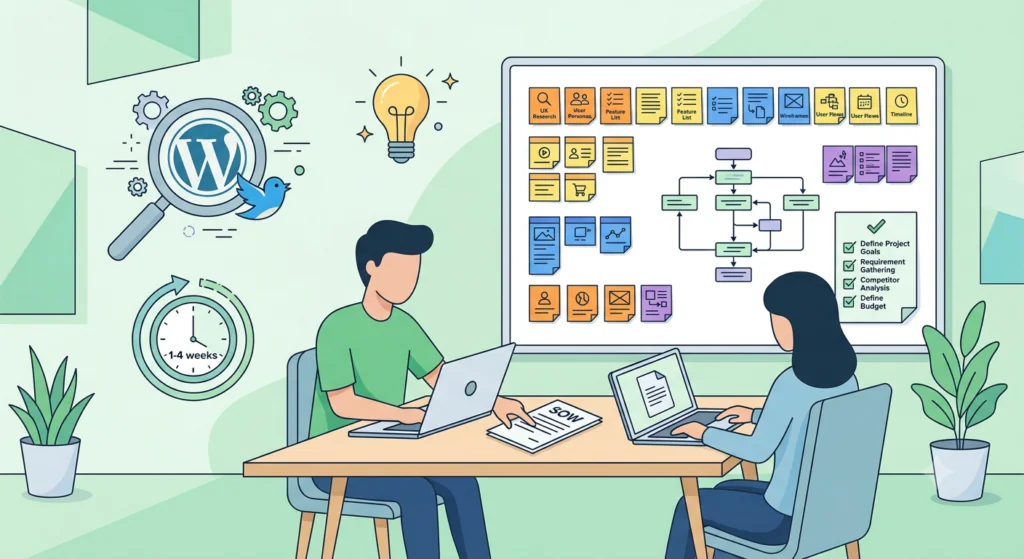
This is the most under-invested stage and the single biggest determinant of whether the project succeeds. Discovery is where the requirements get written down, the edge cases get identified, and the technical approach gets defined. The output is a written statement of work (SOW) that both sides sign.
A real discovery for a WooCommerce plugin typically includes:
- Requirements workshop(s) with stakeholders. Not “send us a list” — a 60–90 minute working session where the agency pushes back on assumptions and surfaces the things you didn’t think to mention.
- Technical architecture document. What hooks, filters, and APIs will the plugin use? Will it need its own database tables? Will it interact with HPOS or legacy order storage? Will it integrate with Cart/Checkout blocks or the legacy shortcode checkout? Will it use the REST API for any external integrations?
- Data model. What custom tables or post types are needed? What meta fields? What settings schema? How does data flow in and out?
- Integration specification. For each external system, what’s the API contract? What’s the failure mode if the external system is down? What gets retried, what gets queued, what gets dropped?
- Security review. What data is sensitive? What needs capability checks? What needs nonce verification? What data gets logged?
- Testing plan. Unit tests, integration tests, user acceptance testing scope, performance testing scope, security testing scope.
- Phasing plan — what gets built first, what can ship as v1.0, what gets deferred to v1.1 or v2.0.
- Fixed-price quote or time-and-materials estimate with a cap.
For a small plugin (one developer, ~40–100 hours of work), this stage typically takes 1–2 weeks; for a complex integration (NetSuite, SAP, custom B2B pricing engine), expect 3–4 weeks. It is usually paid work ($500–$3,000 for a small, well-scoped plugin; $2,000–$5,000 for a complex integration), but the fee is rolled into the project cost if the agency is hired for the build.
How to tell if an agency is doing real discovery: they ask hard questions, they push back on your requirements, they write things down, and the SOW is a real document with sections, not a one-page proposal. See our guide to choosing a WooCommerce agency for the seven questions to ask in the first call.
Stage 2: Design and architecture (1–3 weeks, often overlaps with discovery)
For UI-heavy plugins, this is where the admin screens, settings pages, customer-facing flows, and email templates get designed (typically in Figma) and signed off. For backend-heavy or API-only plugins, the design stage is shorter and focused on data flow diagrams, sequence diagrams, and the technical architecture document.
Don’t skip design even for “simple” plugins. The 30 minutes of design you skip in week 1 costs 3 hours of refactoring in week 6.
Stage 3: Development (4–16 weeks)
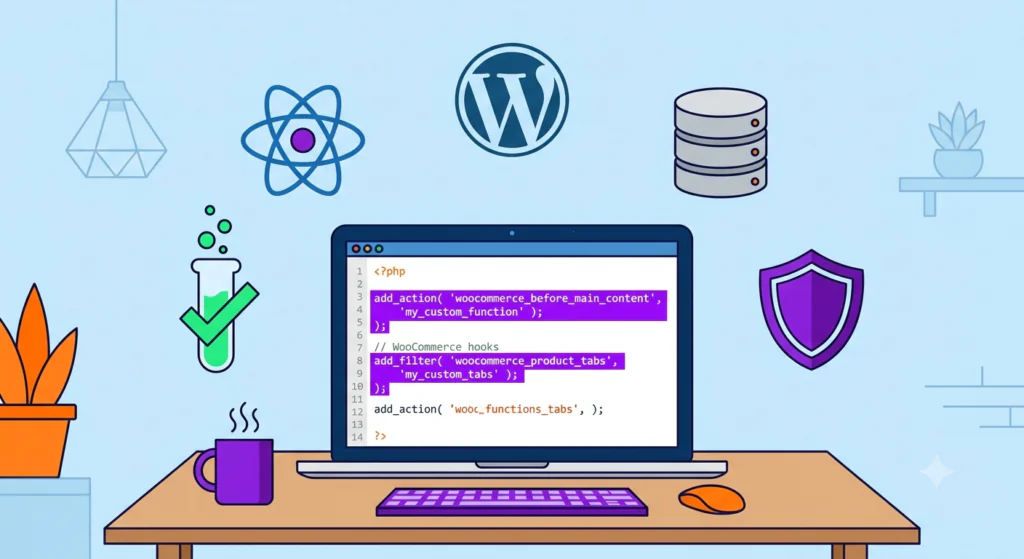
This is the actual coding. Modern WooCommerce plugin development in 2026 typically uses:
- PHP 8.3+ (required by current WooCommerce versions — 10.8 and 11.x — per WooCommerce’s official server requirements) with strict types
- WordPress hooks and filters (the core extension mechanism). Per the official WordPress plugin
best practices, all globally accessible code should be prefixed with a unique identifier (4–5 characters
minimum) to avoid naming collisions with other plugins. Do not use the
wp_,_, or__prefixes — these are reserved for WordPress core. - WooCommerce CRUD classes and data stores (the modern way to interact with products, orders, customers, coupons) rather than direct database queries
- HPOS-compatible code. High-Performance Order Storage
has been the default for new installations since WooCommerce 8.2, and the plugin must work with custom order
tables, not just the legacy
_posts/_postmetatables. If the plugin needs to store or query order data, it must use the WooCommerce CRUD abstraction layer, not raw SQL on the posts table. - Cart and Checkout blocks support. WooCommerce’s block-based checkout (built on React) is the default in WooCommerce 8.3+ for new installations. Any plugin that touches checkout (payment gateways, custom fields, fees, validation) must integrate with the blocks architecture, not just the legacy shortcode-based checkout.
- WordPress REST API and/or WPGraphQL for headless or external integrations
- Composer for dependency management if the plugin is large or has its own third-party dependencies
- PHPUnit for unit testing and Cypress or Playwright for end-to-end testing
Development is usually iterative. Most agencies work in 1–2 week sprints, with a working build deployable to a staging environment at the end of each sprint. You should be able to log in, see real progress, and give feedback weekly — not wait until the end.
Stage 4: Testing and QA (1–4 weeks)
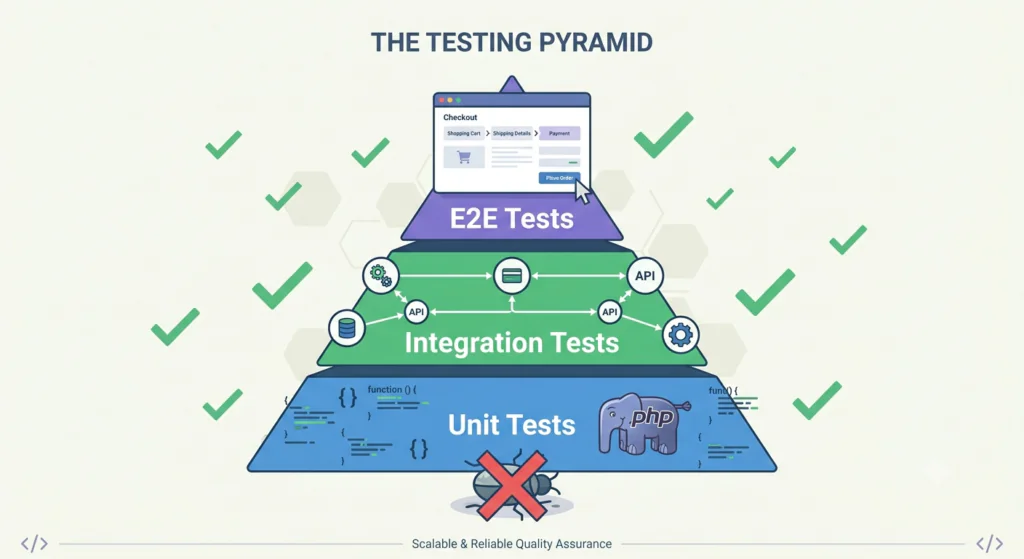
Three layers of testing, ideally done by different people:
- Unit and integration tests written by the developer (or the QA engineer) — run automatically on every code change. Per WordPress’s published security guidance, all code should validate and sanitize input, escape output, and never trust user input — these checks can be partially automated in unit tests.
- End-to-end (E2E) testing — automated browser tests that simulate real user flows (browse, add to cart, checkout, account management, admin actions). Cypress and Playwright are the two most common tools.
- User acceptance testing (UAT) — your team tests the plugin against real-world scenarios. This is where you find the things the developers didn’t think of. Plan for 1–2 weeks of UAT for a medium plugin, 2–4 weeks for a complex one.
Skipping UAT to “save time” is the most common cause of post-launch disasters. Every day of UAT you skip costs three days of emergency fixes after launch.
Stage 5: Deployment, warranty, and ongoing support (ongoing)
Deployment to production is a single event, but the work around it spans weeks:
- Pre-launch checklist (security review, performance test, backup verification, rollback plan)
- Deployment to production, ideally during a low-traffic window
- Warranty period (typically 30–90 days) during which the agency fixes any bugs at no additional cost
- Documentation: architecture diagrams, deployment procedures, admin training, a runbook for your internal team
- Ongoing maintenance: WordPress core, WooCommerce, and PHP version updates; security patches; performance monitoring; bug fixes
A serious plugin needs ongoing maintenance. WordPress releases major versions three or four times a year, WooCommerce releases major versions approximately every 4–8 weeks, and PHP deprecates features every couple of years. A plugin written in 2024 should continue working in 2026, but may need updates to support new features like block-based checkout or HPOS if not built with them from the start. Plan for 10–20% of the original build cost as an annual maintenance budget, or 5–10% if the plugin is small and stable — for a $3,000–$8,000 plugin, that’s roughly $300–$800/year. In our engagement maintaining 18 official WooCommerce shipping extensions for Automattic, more than 50 of the 250+ issues we resolved were compatibility fixes — that is the level of ongoing attention a production plugin actually needs.
How much does a custom WooCommerce plugin cost in 2026?

There is no single answer — the cost depends on complexity, who builds it, and how much discovery is done up front. The ranges below are based on what specialist WooCommerce agencies and senior freelancers are charging for production-quality work in 2026. If the number looks scary, scope it down first: most projects should ship a minimum viable plugin — one workflow, settings-only admin, no external integration — and defer the rest to v1.1.
Cost by plugin complexity
| Plugin type | Typical scope | Development hours | 2026 price range (USD) |
|---|---|---|---|
| Minimum viable plugin | One workflow, settings-only admin, no external integration | 30–80 | $3,000 – $8,000 |
| Simple extension | One focused feature, no admin UI beyond settings, no external integration | 40–100 | $3,000 – $10,000 |
| Medium plugin | Admin UI with multiple settings screens, custom database tables or post types, one external API integration, full test coverage | 100–250 | $8,000 – $25,000 |
| Complex plugin | Multi-step admin workflows, multiple external integrations (ERP/CRM/SaaS), REST or GraphQL API, HPOS + blocks compatibility throughout, automated testing, documentation | 250–500 | $20,000 – $50,000 |
| Enterprise-grade | Multi-tenant or multi-store support, advanced security review (SOC 2, PCI-DSS, etc.), full unit/integration/E2E test coverage, performance-tested at scale, formal documentation, training | 500+ | $50,000+ |
Two ways to make those numbers work on a smaller budget. First, ship a scoped v1 — the minimum viable row above — and defer everything else to v1.1; a $3,000–$8,000 v1 that solves the core problem beats a $25,000 estimate that never gets approved. Second, think monthly: a $12,000 plugin costs about $1,000/month across its first year — less than one day of a senior developer’s loaded time.
Hourly rates by provider type (2026)
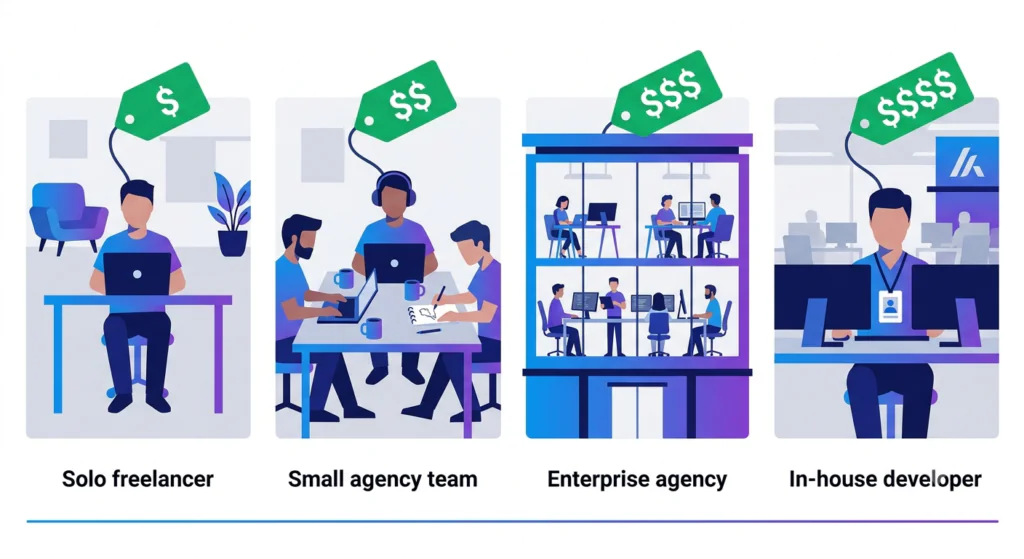
| Provider | Hourly rate (USD) | What’s usually included |
|---|---|---|
| Solo freelancer (low-cost region) | $25 – $60 | Code only |
| Solo freelancer (US/EU) | $60 – $100 | Code, light project management |
| Boutique Woo agency (2–10 people) | $100 – $180 | Code, design, PM, QA |
| Specialist enterprise agency | $120 – $240 | Code, architecture, integrations, security review, support |
| In-house mid-level developer (loaded) | $90 – $140 | Whatever they’re assigned to |
| In-house senior developer (loaded) | $120 – $200 | Whatever they’re assigned to |
For more on agency vs. freelancer vs. in-house economics, see our guide to WooCommerce custom development.
Real-world examples to anchor the ranges
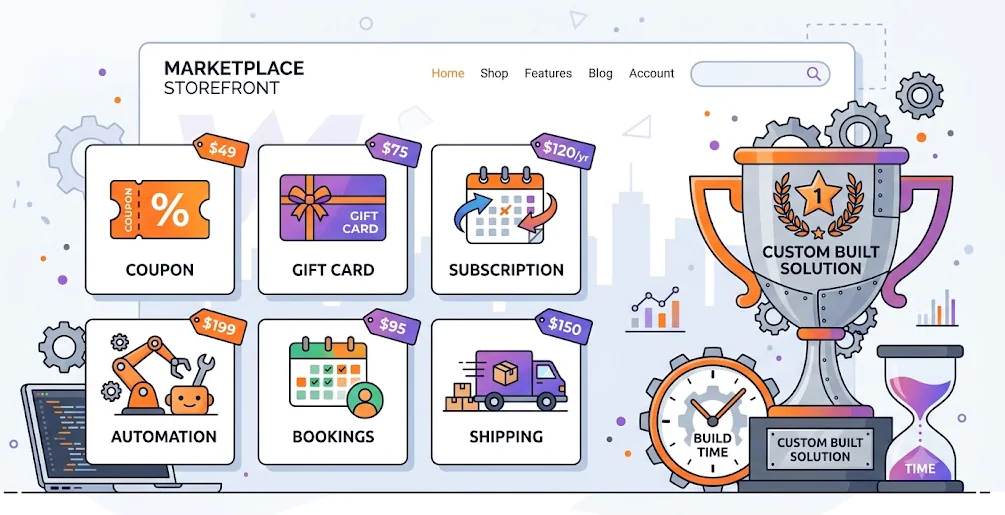
The WooCommerce marketplace lists hundreds of official extensions, and their pricing is a useful proxy for the cost of similar features built from scratch. A few reference points from the current marketplace:
- Smart Coupons — $129/year. Advanced coupon engine with store credit, gift cards, URL coupons, batch generation. Building this from scratch as a custom plugin: 400–800 hours, or $40,000–$80,000. A bare-bones coupon engine with store credit starts around 150–300 hours ($15,000–$30,000).
- Gift Cards — $79/year. Digital and physical gift cards with balance tracking, redemption, and scheduled delivery. Building custom: 200–500 hours, or $20,000–$50,000. A basic store-credit and gift-card engine with balance tracking runs 80–150 hours ($8,000–$15,000).
- Subscriptions — $279/year. Recurring billing with multiple schedules, dunning management, subscriber self-service. Building custom: 1,200–2,400 hours, or $120,000–$240,000+. A simple single-schedule recurring-billing engine is closer to 300–600 hours ($30,000–$60,000).
- AutomateWoo — $159/year. Marketing automation (abandoned cart, follow-ups, win-back, birthday emails). Building custom: 300–800 hours, or $30,000–$80,000. A basic abandoned-cart plugin with a single follow-up workflow starts around 100–250 hours ($10,000–$25,000).
- Bookings — $249/year. Appointment and booking system with calendar, availability, resources, payments. Building custom: 700–1,600 hours, or $70,000–$160,000. A simple availability-and-booking flow with one resource type runs 300–600 hours ($30,000–$60,000).
- Conditional Shipping and Payments — $109/year. Rule engine to enable/disable payment gateways and shipping methods based on cart, customer, or location. Building custom: 200–400 hours, or $20,000–$40,000. A single rule type — say, disabling one gateway for one region — starts at 60–120 hours ($6,000–$12,000).
Why are these ranges so wide? Because a “subscription plugin” can be a basic recurring billing engine (closer to the low end) or a full subscription commerce platform with dunning management, subscriber self-service, switching between tiers, and integration with the legacy and blocks-based checkout (closer to the high end). And note the low ends: a single-workflow build is a fraction of the platform-scale product — but it still rarely beats paying $79–$279/year for the same outcome. Buy when an existing plugin fits; build when it doesn’t. The marketplace products are mature, tested across thousands of stores, and supported by dedicated teams. A custom plugin of equivalent quality is not cheaper to build than what the marketplace vendors invested.
What actually drives the cost
If you can predict what’s expensive before the project starts, you can decide what to cut from v1 and what to defer. Here are the factors that move the number most.
1. Number and complexity of integrations
An integration with one third-party API costs roughly 40–200 hours. A well-documented REST API with a clean contract can land at 40–60 hours ($4,000–$6,000); a poorly documented or custom-protocol API runs 80–200 hours. A plugin that integrates with three external systems (e.g., ERP + CRM + shipping) typically costs 2–3× the cost of a single-integration plugin, not 3× linearly, because each integration compounds the testing matrix and the edge cases.
2. Admin UI complexity
A single settings page with 5–10 fields: cheap. A multi-step admin wizard with conditional fields, custom post type management, bulk operations, and role-based capability checks: significantly more expensive. UI work in WordPress admin is more labor-intensive than most people expect, in part because the WordPress admin design system (WP Components) is not as mature as most modern frontend frameworks.
3. Cart and Checkout blocks integration
If your plugin touches the checkout (payment gateways, custom fees, custom fields, validation rules), it must be built for the Cart and Checkout blocks architecture — React-based, with its own state management and integration patterns. This is materially more work than building for the legacy shortcode-based checkout. It also future-proofs the plugin, because the shortcode-based checkout is no longer the default for new installations. For more on optimizing checkout, see our guide on how to modify the WooCommerce checkout page for higher conversions.
4. HPOS compatibility
HPOS is the default for new installations from WooCommerce 8.2 onward. A plugin that reads or writes order data must
use the WooCommerce CRUD abstraction, not raw queries against the _posts / _postmeta
tables. Retrofitting HPOS compatibility into an existing plugin that was written for the legacy storage model
typically costs 30–50% of the original development cost.
5. Testing and documentation
Code coverage of 70%+ with unit tests, plus a full integration test suite, plus end-to-end browser tests, plus user-facing documentation, plus developer documentation (if the plugin will be extended later) can add 25–50% to the cost of a complex plugin. It’s worth every dollar — but it is real money.
6. Security review
For a plugin that handles sensitive data (payment info, PII, authentication), a lightweight security review of a small plugin runs $2,000–$5,000, and a formal third-party review is $5,000–$30,000 depending on scope. For most plugins, the developer follows WordPress’s published security guidance — validate and sanitize all input, escape all output, never trust user input, use nonces for state-changing requests, check user capabilities before privileged operations, and keep code updated. For plugins that handle payment data directly, you also need PCI-DSS scope review.
7. Ongoing maintenance
WordPress and WooCommerce release updates constantly. PHP deprecates features. New CVEs drop. Plan for 10–20% of the original build cost per year for ongoing maintenance — roughly $300–$800/year for a $3,000–$8,000 plugin — or a monthly retainer with the agency. Skipping maintenance is the most common cause of plugin failures 12–24 months after launch.
Who should build it
The same tradeoffs apply as for any WooCommerce project:
- Solo freelancer — fine for a simple, well-scoped plugin under ~$10,000 with a single developer of work. Risk: continuity. If the freelancer becomes unavailable, the plugin’s source code is the only artifact that survives. Make sure the IP is assigned to you in writing from day one.
- Boutique or specialist Woo agency — the right choice for most custom plugin projects over $10,000. You get a team, project management, design, QA, and a defined support process. Higher hourly rate, but usually lower total cost of ownership because the scope and quality are managed for you.
- In-house team — only makes sense if you have 3+ concurrent WooCommerce initiatives and a stable roadmap for 2+ years. The loaded cost of a senior WooCommerce developer is $130K–$200K/year; you need a healthy backlog to justify it.
For most stores commissioning their first custom plugin, a specialist agency is the right call. The output (production-ready code, tests, documentation, support) is what you actually need, and the small premium over a freelancer’s hourly rate is usually offset by avoiding the second-most-expensive outcome: a freelancer disappearing mid-project. If you want to see the quality bar, our plugin work is public: Yoco’s payment gateway plugin, PostNL’s shipping plugin, Faire’s marketplace integration, and maintenance of 18 official extensions for Automattic.
The legal and IP reality (read this before you sign anything)
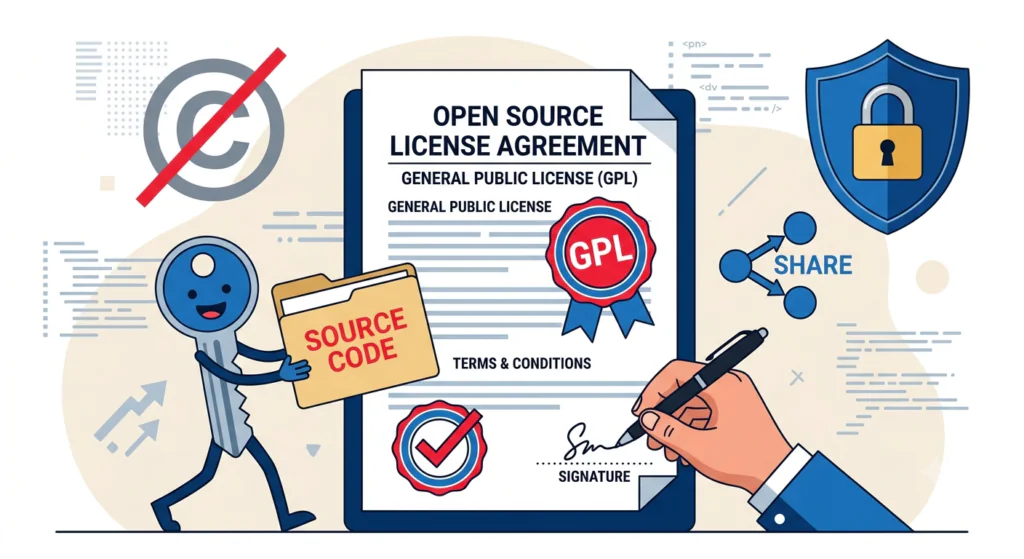
WordPress and WooCommerce are open-source under the GPL (GNU General Public License). Any custom plugin you commission is, by default, derivative work of WordPress and must be GPL-compatible — the WordPress plugin handbook spells out why. This has two practical consequences for your contract.
1. You must receive the source code
Any clause in a development contract that restricts your access to the source code of work paid for is incompatible with the GPL and unenforceable. If a developer or agency tells you they will “license” the plugin to you without giving you the source, that is a serious red flag. Push back, or walk away.
What you should see in the contract: a clear statement that on final payment, all source code, documentation, and assets transfer to you, with the agency retaining no rights to the custom code beyond the standard GPL freedoms.
2. Anyone can redistribute the plugin
The GPL allows anyone who has a copy of GPL-licensed code to redistribute it. This means a custom plugin you commission is, in the strictest legal sense, shareable. The way most agencies handle this in practice is with a “private plugin” model: the plugin is technically public, but the agency and client agree it is a private engagement. Some agencies also add a “we won’t redistribute” non-disparagement clause, but they cannot legally prevent redistribution.
How to keep a competitive advantage with a custom plugin: keep the business logic and data proprietary (in your own systems, not in the plugin itself), not the plugin code. The plugin should be the conduit; the proprietary value should be the data and the business rules the plugin executes against.
3. Three contract clauses to insist on
- IP assignment on final payment. All work product becomes your property once the final invoice is paid. No “we retain rights” carve-outs for the custom code.
- Warranty period of at least 30 days, ideally 60-90 days. During the warranty, the agency fixes bugs at no additional cost. The warranty should be in writing, with a defined response time on P1 issues (anything that takes down production).
- Exit clause. If the engagement ends badly, how do you get the source code, the staging environment, the documentation, and any credentials? The clause should be one page, not 20.
Common mistakes (and how to avoid them)
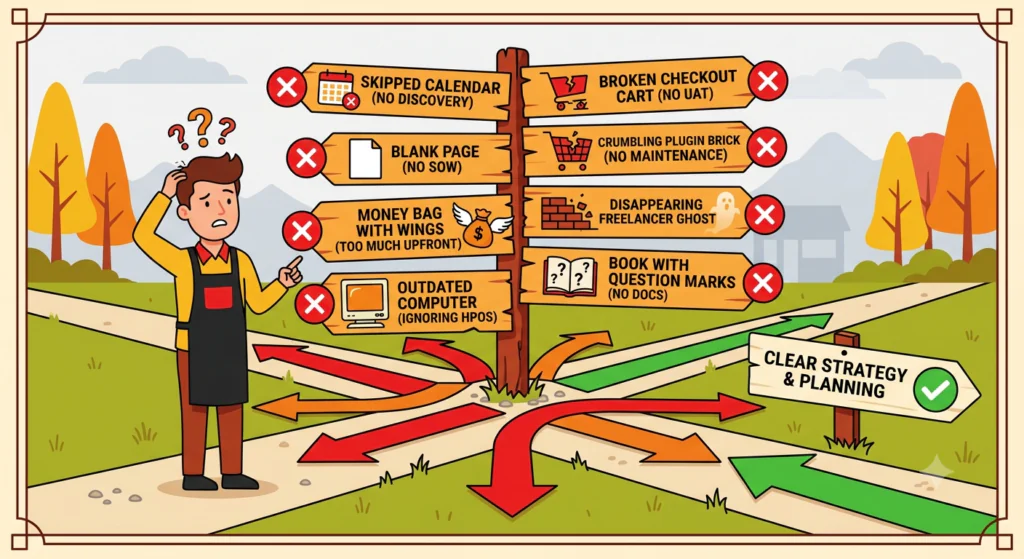
- Skipping discovery to save $1,000. Discovery feels like overhead. It is not. It is the cheapest insurance you will ever buy on a plugin project. A two-week discovery that surfaces one critical assumption saves six months of building the wrong thing.
- Quoting “we’ll just build it” without a SOW. Every plugin project needs a written statement of work: scope, deliverables, timeline, milestones, payment schedule, acceptance criteria, warranty. No SOW = no project.
- Paying more than 30-40% upfront. Milestone-based payments aligned to deliverables protect both sides. A typical structure: 20-30% on signing, 30-40% on completion of development, 20-30% on completion of testing/UAT, 10% on production launch.
- Ignoring HPOS and Cart/Checkout blocks compatibility. A plugin built in 2024 for the legacy shortcode checkout and the legacy posts-based order storage is already obsolete. Insist that the SOW explicitly addresses both, with a documented testing plan against HPOS and the blocks-based checkout.
- No UAT before launch. Skipping user acceptance testing to “save time” almost always costs three times the time saved in post-launch bug fixes. Plan for 1-4 weeks of UAT depending on plugin complexity.
- No maintenance plan. A plugin released without a maintenance agreement is a future incident. Budget 10-20% of the original build cost per year for ongoing maintenance and security updates.
- Choosing a freelancer purely on hourly rate. The cheapest quote is rarely the cheapest project. A $60/hour freelancer who takes 2× the estimated time costs $120/hour in real terms, and you have no recourse if they disappear. A $150/hour agency that ships on time at $120/hour in real terms is the better deal.
- No documentation at handoff. If the agency disappears and the next developer has to read 2,000 lines of uncommented PHP to understand what the plugin does, you have a maintenance liability. Insist on architecture documentation, code comments, an admin guide, and a deployment runbook as part of the deliverable.
What a successful plugin project looks like at 12 months
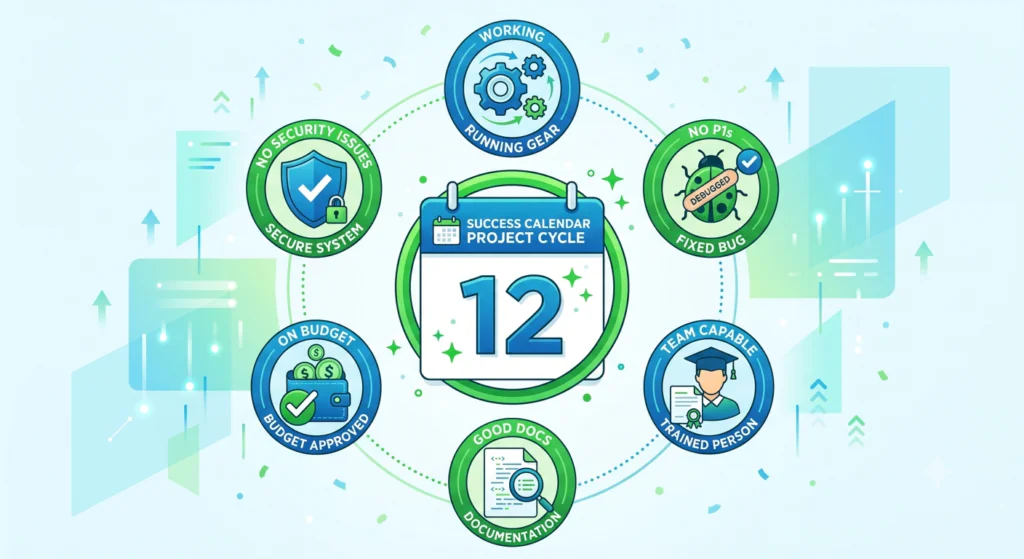
You can call a custom WooCommerce plugin project a success if, by 12 months after launch:
- The plugin is still working correctly on the latest WordPress, WooCommerce, and PHP versions.
- No P1 (production-down) bugs have occurred that were not fixed within the warranty period.
- Your internal team can operate the plugin (configure, monitor, troubleshoot common issues) without contacting the agency.
- The documentation is good enough that a new developer could pick up maintenance in 2-4 weeks.
- Total cost of ownership (build + warranty + first-year maintenance + any small enhancements) is within 20% of the original quoted cost.
- No security incidents related to the plugin code.
If any of these are off, the work to fix them is much easier in the first 12 months than in year three.
Conclusion: a custom plugin is a software product, not a feature
Custom WooCommerce plugin development in 2026 ranges from $3,000 for a simple, well-scoped extension to $50,000+ for an enterprise-grade integration. The middle of that range — $10,000 to $50,000 — is where most real projects land, and it is also where the gap between a freelancer quote and a quality agency quote is the smallest relative to the total project value. If the entry numbers feel out of reach, scope down: a minimum viable plugin — one workflow, settings-only admin — typically starts at $3,000–$8,000, and the rest ships in v1.1.
The five-stage process is non-negotiable: discovery, design, development, testing, deployment. Skipping any of them is the most common cause of failed projects, and most failed projects are recoverable only by throwing more money at the same vendor or starting over. The cheapest project is the one that is scoped correctly at the start, built by people who have done it before, and supported for the long term.
If you are thinking about commissioning a custom WooCommerce plugin, we are happy to review your idea and give you a realistic estimate before you sign anything. We run discovery-first engagements and have built custom plugins for stores doing $500K to $50M+ in WooCommerce revenue. Get in touch and we will send back a written response within a few business days.
Frequently asked questions
How much does a custom WooCommerce plugin cost?
Custom WooCommerce plugin development in 2026 typically costs $3,000 to $50,000+, with most real projects landing in the $10,000 to $50,000 range. A minimum viable plugin (one workflow, settings-only admin, no external integration) runs $3,000-$8,000. A simple extension starts at $3,000-$10,000. A medium plugin with admin UI, one external integration, and test coverage runs $8,000-$25,000. A complex plugin with multiple integrations, HPOS + blocks compatibility throughout, automated testing, and full documentation runs $20,000-$50,000. Enterprise-grade plugins with multi-tenant support, formal security review, and SOC 2 / PCI-DSS compliance can run $50,000+. See our guide to WooCommerce custom development for context.
How long does it take to build a custom WooCommerce plugin?
Plan for 8-24 weeks of total project time for a medium plugin. A simple extension can ship in 4-8 weeks. A complex plugin typically takes 4-6 months. Enterprise-grade plugins run 6-12 months. The breakdown is roughly: discovery 1-4 weeks, design 1-3 weeks, development 4-16 weeks, testing 1-4 weeks, deployment + warranty ongoing. The work itself is iterative — most agencies run 1-2 week sprints with a working build deployable to staging at the end of each sprint.
How do I know if I actually need a custom plugin?
Search the WooCommerce marketplace, the WordPress.org plugin directory, and CodeCanyon first. If three or more existing plugins almost fit but each misses one thing, custom is probably the right call. If one existing plugin almost fits and the gap is small, a small customization of that plugin is usually cheaper than building from scratch. Other strong reasons to go custom: a proprietary integration with no public API, a competitive advantage that depends on a unique feature, or performance requirements that marketplace plugins cannot meet. See our guide to choosing a WooCommerce agency for the broader decision framework.
What is HPOS and why does my plugin need to be HPOS-compatible?
HPOS (High-Performance Order Storage) is WooCommerce’s modern order storage system, available since WooCommerce 8.2
and the default for new installations. Instead of storing order data in the legacy WordPress _posts and
_postmeta tables, HPOS uses dedicated tables (_wc_orders,
_wc_order_addresses, _wc_order_operational_data, _wc_orders_meta) for
significantly faster queries and better scalability. Any plugin that reads or writes order data must use the
WooCommerce CRUD abstraction, not raw SQL. Retrofitting HPOS compatibility into a plugin built for legacy storage
typically costs 30-50% of the original development cost.
What are Cart and Checkout blocks and why do they matter?
WooCommerce Cart and Checkout blocks are the modern, block-based replacement for the legacy shortcode-based checkout, built on React and the WordPress block editor. They are the default in WooCommerce 8.3+ for new installations. Any plugin that touches the checkout (payment gateways, custom fees, custom fields, validation rules) must integrate with the blocks architecture, not just the legacy shortcode. Building blocks-compatible is materially more work than shortcode-compatible, but it future-proofs the plugin.
Do I own the code after the project?
Yes — and you should insist on this in writing. WordPress and WooCommerce are GPL-licensed, and any custom plugin you commission is derivative work that must be GPL-compatible. Any clause that restricts your access to the source code is unenforceable. Your contract should explicitly state that on final payment, all source code, documentation, and assets transfer to you, with the agency retaining no rights beyond standard GPL freedoms.
What about maintenance after launch?
Plan for ongoing maintenance as a separate line item. WordPress releases major versions three or four times a year. WooCommerce releases major versions approximately every 4-8 weeks. PHP deprecates features regularly. A plugin written in 2024 should continue working in 2026, but may need updates to support new features like block-based checkout or HPOS if not built with them from the start. Budget 10-20% of the original build cost per year for ongoing maintenance, or 5-10% if the plugin is small and stable — roughly $300-$800/year for a $3,000-$8,000 plugin. Skipping maintenance is the most common cause of plugin failures 12-24 months after launch.
Should I hire a freelancer or an agency for custom plugin development?
For a simple plugin under ~$10,000 with a single developer of work, a senior freelancer is fine. For projects over $10,000 — especially anything with external integrations, HPOS + blocks compatibility, or multi-step admin workflows — a specialist WooCommerce agency is almost always cheaper in total because of project management, design, QA, and team redundancy. The risk with a freelancer is continuity, not skill. See our guide to choosing a WooCommerce agency for the seven questions to ask before you sign.
What is the discovery phase and why is it so important?
Discovery is the structured 1-4 week process at the start of a plugin project where requirements get written down, edge cases get identified, the technical architecture is defined, and a fixed-price quote or time-and-materials estimate gets produced. The output is a written statement of work (SOW) that both sides sign. Discovery is usually paid work ($500-$3,000 for a small, well-scoped plugin; $2,000-$5,000 for a complex integration) but rolled into the project cost if the agency is hired for build. Skipping discovery is the single biggest cause of failed plugin projects.
How do I know if a plugin developer is doing quality work?
Ask to see a recent plugin they have built, and look for: a clean folder structure; prefixed functions, classes, and
global variables (4-5 character minimum, avoiding wp_, __, Woo); use of
WordPress provided sanitization and escaping functions; nonces used on all state-changing requests; capability
checks before privileged operations; and a test suite with at least some unit test coverage. Then ask about HPOS and
Cart/Checkout blocks compatibility — if they do not know what those are, find a different developer. For more on
testing standards, see our WordPress
unit testing guide.
Can a custom WooCommerce plugin be kept private and competitive?
Technically, no — the GPL allows redistribution. Practically, yes. The way most agencies handle this is with a private engagement: the plugin is technically public, but the agency and client agree it is a private build, and most of the valuable business logic lives in your own data systems, not in the plugin code itself. The plugin is a conduit; the proprietary value is the data and the business rules it executes against. To preserve competitive advantage, keep your business logic and data proprietary — not the plugin code.