Skip to content

For an enterprise merchant in 2026, the WooCommerce vs Magento decision is not about raw capability. Both platforms run stores well past $100M in annual revenue. The real question is which platform spends your budget on the workloads you actually run.
Most comparisons get one thing wrong: they measure WooCommerce against a feature list that is half Adobe Commerce, the paid tier. This article compares WooCommerce against Magento Open Source 2.4.9, the free self-hosted edition, because that is the honest like-for-like match. Both are free to download, self-hosted, and dependent on developers and extensions for advanced functionality. Where a capability belongs to Adobe Commerce rather than Magento Open Source, we say so, because that is a licensing conversation with a different budget attached. Our answer comes from years of enterprise WooCommerce builds, and it still includes the reasons a WooCommerce agency tells some merchants to stay where they are.

Key Takeaways
- The bottom line: if you run Magento Open Source and are not actively using its multi-store architecture or relying on its out-of-the-box search across 50,000+ SKUs, WooCommerce will almost certainly cost you less to host, staff, and change. If native B2B or vendor SLAs are your reason to stay, you are not comparing against free software; you are pricing an Adobe Commerce license.
- This comparison is WooCommerce vs Magento Open Source (free, self-hosted). Native B2B, AI-driven search and recommendations, customer segments, content staging, and vendor SLAs are Adobe Commerce features and are called out as such throughout.
- Magento Open Source wins two real rows: native multi-website and store-view architecture, and OpenSearch faceted navigation that works at 50,000+ SKUs out of the box.
- WooCommerce wins the invoice: a single-process stack on standard WordPress hosting instead of a Magento service cluster, a 60,000+ plugin ecosystem, the largest developer talent pool in web development, and changes measured in days rather than weeks.
- Lifecycle support is a genuine Magento Open Source weakness. Adobe’s formal lifecycle policy explicitly excludes Open Source, extended support is an Adobe Commerce entitlement, and Open Source 2.4.5 and 2.4.6 stopped receiving patches on August 11, 2026.
- Enterprise scale on WooCommerce is a solved problem. HPOS (High-Performance Order Storage), the default for new stores since WooCommerce 8.2, underpins it; our Mighty Kids HPOS migration cut order database queries 4.5× at zero downtime.
- Switching is mostly a reimplementation project, not a data transfer. Migration tools start at $59–$69 but move data only; themes, extensions, and customer passwords do not transfer. The full process is in our Magento-to-WooCommerce migration guide.
- Not sure which side you fall on? The three decision profiles and five-question test near the end of this article sort most enterprise cases in a few minutes.
The verdict at a glance
| Area | Edge | Why |
|---|---|---|
| Total cost of ownership | WooCommerce | Cheaper to host, maintain, staff, and upgrade |
| Enterprise scalability | Tie | Both proven at scale; HPOS closed WooCommerce’s historical order-storage gap |
| Multi-store / international | Magento Open Source | Native multi-website and store views; WooCommerce needs Multisite or extra tooling |
| Search on large catalogs | Magento Open Source | Native OpenSearch faceted navigation; WooCommerce needs a search plugin |
| B2B (company accounts, shared catalogs) | Tie | Both free platforms need extensions or custom work; native B2B is Adobe Commerce only |
| Talent and speed of change | WooCommerce | Larger, cheaper developer pool; days per change instead of weeks |
| Security and lifecycle | WooCommerce (narrowly) | Adobe’s lifecycle policy and extended support exclude Magento Open Source |
| Integrations and ecosystem | WooCommerce | Far broader plugin market; complex ERP/PIM work needs engineering on both |
| Headless / GraphQL | Tie | Magento’s GraphQL is more mature; WooCommerce’s first-party GraphQL is still experimental |
| Migration | Depends | Rebuilding search, pricing logic, and integrations costs far more than moving data |
What we’re comparing: Magento Open Source, not Adobe Commerce
“Magento” is now four products, and conflating them is the single most common error in platform comparisons. Since June 2025 Adobe has shipped two SaaS commerce products alongside the two versions of the classic codebase, so “Adobe Commerce is just the paid tier of Magento” is no longer an accurate description of the family.
| Product | What it is | Cost model | In this comparison? |
|---|---|---|---|
| Magento Open Source 2.4.9 | Free, self-hosted, open-source edition. You supply hosting, developers, and maintenance. | Software is free; you pay for infrastructure and engineering | Yes, this is the subject |
| Adobe Commerce (on-premises and PaaS Cloud) | Same core codebase plus a commercial module layer, vendor support, and (on Cloud) Adobe-managed AWS infrastructure | Annual license tiered on GMV; Adobe publishes no list price | Referenced wherever a feature is licensed rather than free |
| Adobe Commerce as a Cloud Service (ACCS) | Multi-tenant SaaS platform launched June 2025. No manual upgrades, Edge Delivery storefronts, drop-in components. Architecturally distinct from the on-prem codebase. | SaaS subscription | Out of scope. Competes with Shopify Plus and commercetools |
| Adobe Commerce Optimizer | SaaS catalog, search, and merchandising layer that plugs into an existing backend to modernise without a full re-platform | SaaS subscription | Out of scope |
Magento Open Source and Adobe Commerce share a version line. Both shipped 2.4.9 on May 12, 2026, which is exactly why the two get blurred together. They are not the same product to buy. Here is the split that matters to an enterprise evaluation:
| Capability | Magento Open Source 2.4.9 | Adobe Commerce |
|---|---|---|
| Multi-website, multi-store, store views | Native | Native |
| Catalog search and layered (faceted) navigation via OpenSearch | Native | Native |
| Customer group pricing, tier pricing, catalog price rules | Native | Native |
| Page Builder | Native (included since 2.4.3) | Native |
| GraphQL API | Native | Native, plus GraphQL for commercial modules |
| Company accounts, shared catalogs, requisition lists, negotiable quotes, payment on account | Not included. Third-party extensions or custom build | Native B2B module |
| Live Search and Product Recommendations (Adobe Sensei AI) | Not included | Native |
| Customer Segments, Content Staging & Preview, Visual Merchandiser, rule-based product relations | Not included | Native |
| RMA/returns, reward points, store credit, gift cards | Not included | Native |
| Commerce Intelligence, Payment Services, Google Tag Manager integration | Not included | Native |
| Managed PCI-compliant cloud hosting and staging environments | Not included | Included on Cloud |
| Vendor support SLAs and extended lifecycle support | Not available | Included |
Read that table twice if you have been told “Magento has native B2B.” Adobe Commerce has native B2B, delivered as a separately installed module licensed with the platform. On Magento Open Source, company accounts and shared catalogs are a rebuild from Amasty, Aheadworks, Mirasvit, or your own developers, the same category of work as building them on WooCommerce. That single correction reshapes most of the comparison that follows.
Adobe does not publish Adobe Commerce list pricing. Third-party estimates for 2026, such as LitExtension’s pricing breakdown, run from roughly $22,000/year at $1M–$5M GMV to $125,000–$190,000+/year above $25M GMV. Treat those as estimates from resellers and agencies, not quotes. The point for this article is directional: if the features you need sit in the Adobe Commerce column, you are comparing WooCommerce against a six-figure license, not against free software.
The 2026 state of both platforms
Magento 1 reached end-of-life on June 30, 2020, per Adobe’s official lifecycle policy. No security patches have shipped since. That forced the last generation of holdouts onto Magento 2 or off the platform entirely.
Magento Open Source development continues, and 2.4.9 shipped on May 12, 2026. Adobe’s release notes record 580 issues fixed in the Magento Open Source core; the widely quoted figure of 666 belongs to Adobe Commerce 2.4.9, which carries additional commercial-module fixes on the same release date. The release replaced three ageing framework components (Laminas MVC with native PHP MVC, Zend_Cache with Symfony Cache, and TinyMCE with HugeRTE) and brought incremental GraphQL improvements. 2.4.9 is the current release as of October 2026; there is no 2.4.10 or 2.5 line yet. It is also the first release under Adobe’s restructured cadence: one major patch per year in May, betas in March and November, and monthly isolated security fixes across supported lines, with security updates increased from three to four per year.
Staying current is a project in itself. Every major release brings new server requirements and breaking changes, and each patch cycle consumes engineering hours. The lifecycle terms are where the editions diverge sharply. Adobe supports each 2.4.x version for three years from its GA date: 2.4.7 until April 9, 2027, 2.4.8 until April 11, 2028, and 2.4.9 until May 12, 2029. But the formal patch and lifecycle policy states it does not apply to Magento Open Source. Extended support and the security-only transitional period are Adobe Commerce entitlements. In practice, Magento Open Source 2.4.5 and 2.4.6 received no further patches or quality fixes after August 11, 2026. Version-by-version dates are tracked at magento.watch.
That gap is why Mage-OS matters to self-hosted merchants. It is a community-governed, nonprofit distribution of Magento Open Source, fully compatible with the Magento 2 extension ecosystem and installed via Composer exactly as upstream is. Its releases port Adobe’s isolated security patches into source-distributed builds. If you are staying on Open Source for the long term, Mage-OS is the realistic hedge against Adobe’s attention shifting to its SaaS products.
WooCommerce sits on WordPress, which per W3Techs (July 2026) runs 41.2% of the web and holds 59.1% of the CMS market. The same W3Techs data puts WooCommerce at 8.2% of all websites, 48.4% of detectable ecommerce systems, and 19.8% of WordPress sites. Magento sits at roughly 0.4% of all websites. That scale gap is not a vanity metric. It decides how many developers you can hire, how many plugins and integrations exist, and how many agencies can support you. It is also an imperfect measure of Magento specifically: detection is signature-based on a shared codebase, so the figure bundles free Open Source stores with licensed Adobe Commerce ones.
WooCommerce 11.2.0, released October 7, 2026, is the current line: 642 pull requests from 93 contributors, adding GTIN/UPC/EAN/ISBN matching in the product CSV importer, date fields in the Additional Checkout API, configurable right-of-withdrawal emails, and a round of security hardening. It follows 11.1.0 (September 3), which measured Store API and REST requests 30–42% faster. It requires WordPress 6.9+ and PHP 8.3 or higher (tested up to PHP 8.4) with MySQL 8.0+ or MariaDB 10.6+ and a 256MB memory limit. Any standard WordPress host meets these requirements.
Magento Open Source 2.4.9 asks for considerably more. Per Adobe’s system requirements, the on-premises stack is PHP 8.5, MySQL 8.4 or MariaDB 12.3, OpenSearch 3, Valkey 9, nginx 1.30, and Composer 2.10, with Varnish 8 recommended for full-page caching and RabbitMQ 4.3 or ActiveMQ Artemis 2 for message queues. Two details are worth flagging because older comparisons get them wrong: Redis is now listed as unsupported, replaced by Valkey, and Elasticsearch has been dropped from the 2.4.9 on-premises table, leaving OpenSearch 3 as the only supported search engine. Cron is mandatory, since indexing, emails, and scheduled tasks depend on it. Magento catalog search cannot run without a dedicated search engine at all. The platform you choose dictates the infrastructure you buy.
Total cost of ownership: where the money actually goes
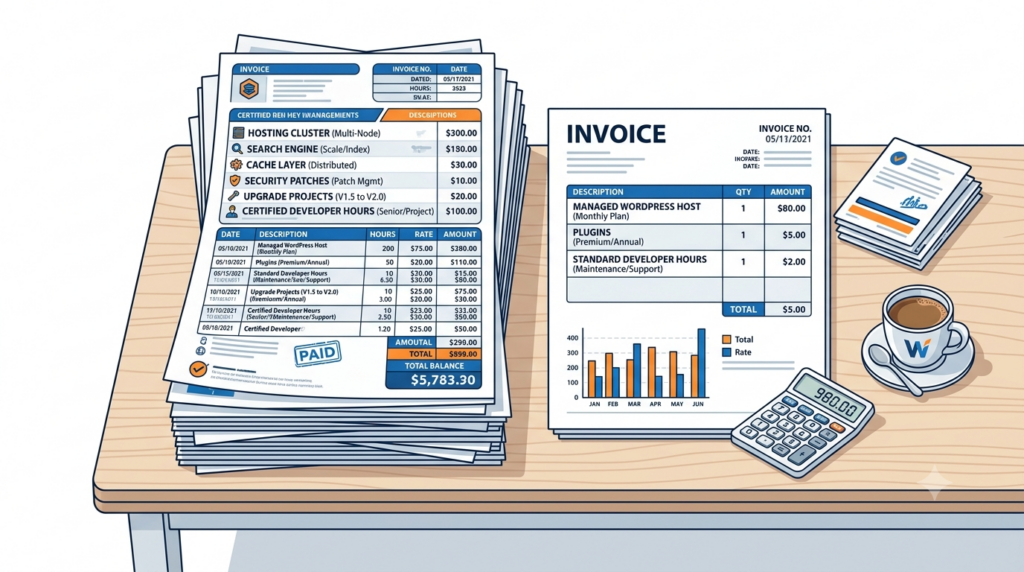
TCO (Total Cost of Ownership) is the sum of hosting, maintenance, talent, extensions, and the cost of each future change. Measure it over the store’s lifetime, not just year one. On that measure, and with both platforms’ software priced at zero, the two are not close.
| Cost driver | WooCommerce 11.2 (2026) | Magento Open Source 2.4.9 (2026) |
|---|---|---|
| Software license | Free | Free (Adobe Commerce is GMV-tiered, no public list price) |
| Hosting architecture | One PHP process + MySQL on a managed WordPress host | Service cluster: MariaDB 12.3, OpenSearch 3, Valkey 9, cron, plus Varnish and RabbitMQ where needed |
| Maintenance cadence | Core + plugin updates; managed hosts automate most | Four security updates a year plus an annual major patch project; no extended support for Open Source |
| Extensions | Free + paid; a typical serious store runs $500–$2,000/year | Marketplace modules, often licensed per site, plus paid extensions to replicate B2B and advanced search that Adobe Commerce bundles |
| Talent | WordPress developers: the largest pool in the industry; Upwork lists WooCommerce developers at $15–$30/hr | Smaller, pricier pool; Upwork lists Magento developers at $16–$35/hr, and specialist agency rates run higher |
| Cost per change | Days of engineering for most changes | Weeks of engineering for most changes |
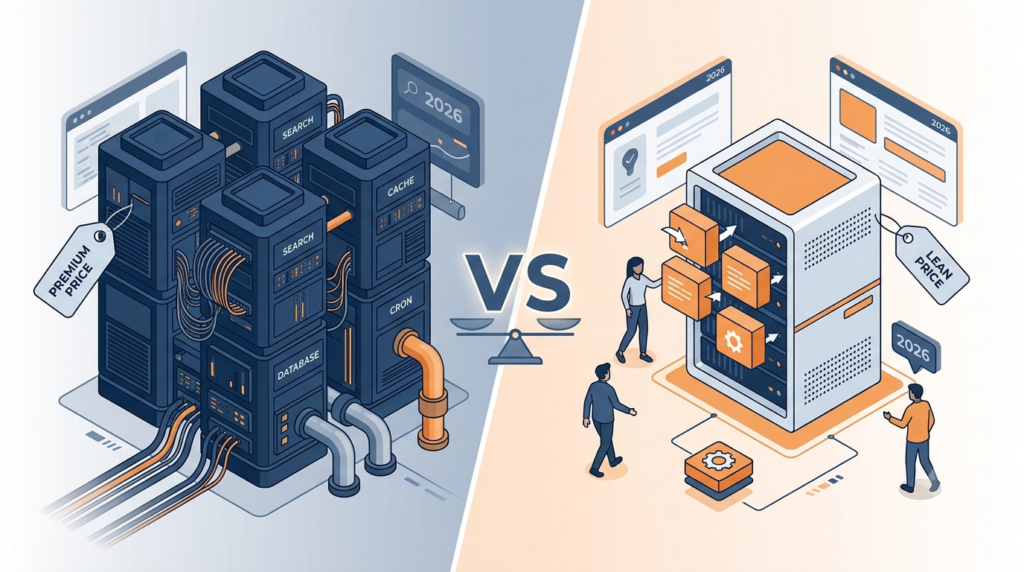
Magento’s requirements are the visible part of the bill. You are paying for a cluster of services: database, search, cache, and cron. On WooCommerce, these collapse into one PHP process on a standard WordPress host. The invisible part is the maintenance treadmill. Every Magento major release is an upgrade project with breaking changes, and every patch cycle consumes engineering hours, with no vendor safety net on the Open Source edition. A managed WooCommerce host handles most updates for you. We cover the decision in our WooCommerce hosting guide.
The talent line matters more than most buyers expect, and it is measurable rather than rhetorical. PHP is used by roughly 18% of professional developers and WordPress by 12–13%, per recent Stack Overflow Developer Survey data, against an estimated 5.7–6.5 million PHP developers worldwide (summarised here). Upwork’s own rate guides put Magento developers at $16–$35/hr against WooCommerce developers at $15–$30/hr, a modest premium at the freelance level, and Clutch’s agency data shows the differentiation widening at specialist tier. Precise counts of Magento-certified developers are no longer verifiable; Adobe closed its public certification directory in 2020, so treat any specific number you see as stale. The direction of the gap, though, is not in dispute, and it shows up in every project estimate. What you save in hosting, you save again in payroll.
The honest scorecard: enterprise capabilities compared
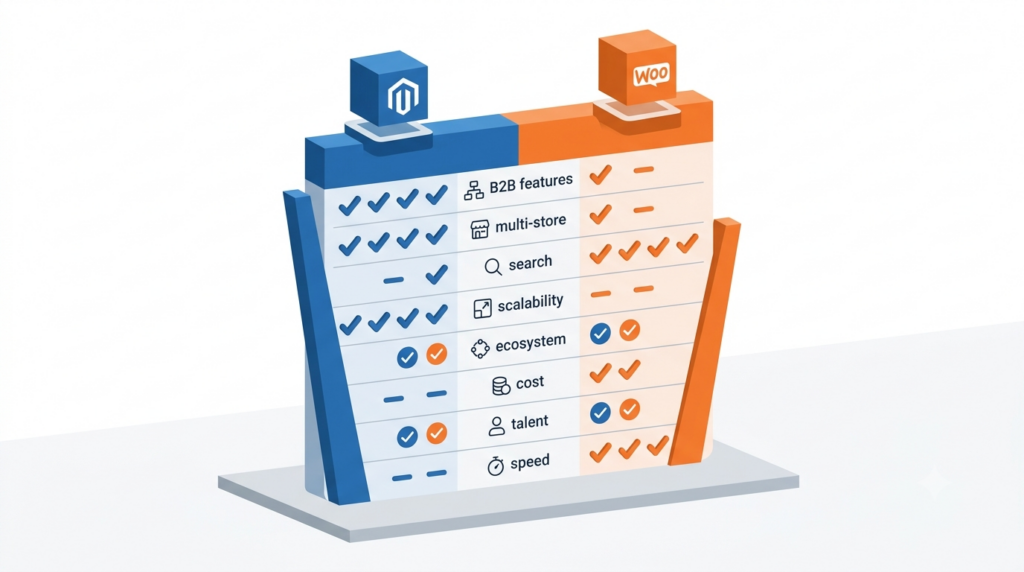
Comparison tables for these platforms usually declare a winner before the first row. Ours does not. Magento Open Source wins real rows, WooCommerce wins real rows, and several are a tie. The verdict column is the point, and where the verdict changes if you are licensing Adobe Commerce rather than running the free edition, we say so.
| Capability | WooCommerce 11.2 | Magento Open Source 2.4.9 | Verdict |
|---|---|---|---|
| B2B account selling (shared catalogs, company accounts, quotes) | Plugins (Wholesale Suite, B2BKing) or custom logic | Extensions (Amasty, Aheadworks, Mirasvit) or custom logic; group and tier pricing are native | Tie: both are rebuilds. Adobe Commerce wins outright |
| Multi-store / multi-brand / multi-market | WordPress Multisite, separate installs, WPML or Polylang | Native multi-website + store views | Magento Open Source |
| Catalog search & faceted navigation | MySQL default; SearchWP, ElasticPress, FacetWP, or Algolia via the community plugin | Native OpenSearch 3 with layered navigation | Magento Open Source (out of the box) |
| AI search & product recommendations | Third-party services | Not included | Tie. Adobe Commerce wins outright (Live Search, Sensei recommendations) |
| Scalability & performance | HPOS + proper hosting; proven at enterprise scale | Proven at very high scale | Tie |
| Ecosystem & integrations | 60,000+ WordPress plugins, REST API, huge integration market | Smaller marketplace; deeper per-integration engineering | WooCommerce |
| Total cost of ownership | Low entry, predictable annual cost | Free license, but cluster infrastructure and annual upgrade projects | WooCommerce |
| Talent availability | Largest pool in web development; lower freelance rates | Smaller pool; higher freelance rates ($16–$35/hr vs $15–$30/hr on Upwork) and a wider gap at agency tier | WooCommerce |
| Speed of iteration | Days for most changes | Weeks for most changes | WooCommerce |
| Security & lifecycle | Fast core updates; plugin sprawl is the main risk | Four security updates a year, but Adobe’s lifecycle policy excludes Open Source and offers it no extended support | WooCommerce (narrowly) |
| Headless / composable commerce | REST API + Store API (official); official GraphQL experimental since 10.9; WooGraphQL is the mature third-party route | Mature, fully supported GraphQL | Tie (Magento’s GraphQL is more mature) |
Three rows deserve context. First, search: OpenSearch is the open-source engine Magento uses for catalog search and layered navigation, and it is native to the free edition. WooCommerce’s default catalog search is MySQL-based and visibly weaker on large catalogs, so stores over a few thousand SKUs plan a search plugin. That is a real rebuild cost and it sits on the Magento side of the ledger. One correction to the usual plugin shortlist: Algolia has discontinued official support for its own WordPress plugin and states it does not support WordPress plugins at all. The maintained route is WebDevStudios’ “WP Search with Algolia,” whose Pro tier adds WooCommerce support. SearchWP, ElasticPress, and FacetWP remain actively maintained commercial options.
Second, headless. WooCommerce’s REST API handles management and its Store API powers storefront carts and checkout. GraphQL was third-party only for years, via WPGraphQL and WooGraphQL, but WooCommerce 10.9 (June 2026) introduced an experimental first-party “dual API” that autogenerates a GraphQL schema from core PHP. It is additive and experimental; nothing is deprecated. Magento’s GraphQL is still the more mature implementation.
Third, scale. HPOS (High-Performance Order Storage) is WooCommerce’s modern order storage system, enabled by default for new installations since WooCommerce 8.2, with existing stores able to opt in. It stores orders in dedicated tables instead of _posts/_postmeta. Legacy post-based storage still exists but receives no feature development and is being phased out. As of WooCommerce 10.7 (April 2026), sync-on-read is disabled by default, and WooCommerce has signalled it may be removed entirely. HPOS is the answer to the scalability question, and it holds up in production: the Mighty Kids results below are an HPOS migration. The architecture pattern behind that work is documented in our WooCommerce scaling guide.
Where Magento still wins, and should keep winning
We build enterprise WooCommerce for a living. We still tell some merchants to stay on Magento, but it matters which Magento they are staying on, so the list is split.
What Magento Open Source wins on its own
- Multi-store architecture. Magento’s multi-website and store-view model lets one codebase serve many brands, markets, and languages from one admin, and it is native to the free edition. WooCommerce needs Multisite, separate installs, and WPML or Polylang. Each carries its own operational cost.
- Search that works out of the box. OpenSearch faceted navigation at 50,000+ SKUs with no plugin budget is a genuine Magento Open Source advantage. If search is your conversion engine, a rebuild window on the WooCommerce side is real risk.
- An invested team. If you have an experienced Magento team, a working platform, and no pressing cost or capability trigger, spend the migration budget on the business instead.
- Deeply coupled integrations. If your ERP or PIM is wired to Magento’s EAV data model rather than to documented APIs, the integration rebuild, not the platform, is what you are really pricing.
What only Adobe Commerce wins
These are the arguments most often made for “Magento” that do not apply to the free edition. If they decide your case, your real comparison is WooCommerce plus custom development against an Adobe Commerce license.
- Native B2B. Adobe Commerce ships shared catalogs, company accounts, requisition lists, and negotiated pricing as product features with commercial support, delivered as a separately installed module. Magento Open Source has group and tier pricing but none of the account-based machinery. If account-based selling is your core business model, that native advantage is decisive, and it is a licensed feature rather than a free one. Worth knowing even then: advanced quote workflows, deep company hierarchies, and credit-terms logic frequently still need customisation on Adobe Commerce.
- AI search and recommendations. Live Search and Sensei-powered Product Recommendations are Adobe Commerce features. Open Source merchants buy equivalent capability from third parties, exactly as WooCommerce merchants do.
- Merchandising and content operations. Customer Segments, Content Staging & Preview, and Visual Merchandiser are genuinely strong tools for large marketing teams, and they are absent from Open Source.
- Procurement and compliance. Regulated industries often need Adobe’s vendor agreements, security certifications, and support SLAs. No plugin ecosystem replaces a vendor contract, and no free edition provides one either. Adobe’s lifecycle policy explicitly excludes Magento Open Source, so a compliance-driven buyer on the free edition is already exposed.
We build WooCommerce for a living, and we still tell some merchants to stay on Magento. Don’t trust a platform comparison that never says that.
Where WooCommerce wins, with receipts
The WooCommerce rows in the scorecard are not theoretical. Three published engagements show the pattern at enterprise scale. We cite our own work rather than the circulating lists of famous brands allegedly running WooCommerce, because those lists routinely conflate a WordPress marketing site with a WooCommerce storefront and are rarely verifiable. If a vendor waves a logo wall at you, check the current stack yourself with BuiltWith or Wappalyzer before it counts as evidence.

Mighty Kids: from 6-second orders to 99.9% uptime
Mighty Kids is a UK DTC supplements brand with thousands of active subscriptions. Progressus ran the HPOS migration, custom refund and bundling systems, and a hosting move. Order processing went from 6s to 2.1s (3×). Order database queries dropped from 1.8s to 0.4s (4.5×). Refunds improved from 25 min to 6 min (4×). The HPOS migration ran at zero downtime, and the store hit 99.9% uptime with 3× revenue growth across the engagement. This is the performance layer a WooCommerce store gets when the architecture is done properly.
Faire: syncing 10,000+ products for 400+ brands
Faire is the wholesale marketplace. It runs a Progressus-built integration connecting WooCommerce brands to its platform. Three modules power it: product sync, two-way order sync, and link/reconciliation. They run on the REST API and Action Scheduler. The system now syncs 10,000+ products and orders for 400+ brands. The pattern scales because WooCommerce’s ecosystem and APIs are commodity infrastructure.
Automattic, PostNL, and DHL: the platform’s backbone
Automattic is the company behind WooCommerce itself. Since 2021 it has contracted Progressus to maintain 19 of its official WooCommerce extensions, most of them shipping and fulfillment plugins. Over five years that work adds up to 1,800+ merged pull requests, including 500+ bug fixes, 500+ compatibility updates, and 60+ security fixes. PostNL’s official plugin and DHL’s shipping plugin were also built and are maintained by the same team. The talent that sustains the platform’s core infrastructure concentrates in the WooCommerce ecosystem, not the Magento one.
The speed-of-iteration row is the one CFOs notice last and developers feel first. A store change that takes a Magento team two weeks involves a cluster of services, caches, and deployment pipelines. The same change takes a WooCommerce team two days. For an enterprise shipping weekly releases, that is not a convenience. It is the difference between a backlog that shrinks and one that grows. When those changes touch ERP, PIM, or marketplace syncs, the integration pattern matters more than the platform. Our enterprise integration methodology is the playbook we use for 50k+ SKU syncs on WooCommerce.
One honest caveat on positioning: WooCommerce’s installed base skews heavily to smaller merchants. Capterra’s review data shows around 92% of WooCommerce reviewers are small businesses and roughly 4% are enterprise. Enterprise WooCommerce is real, and it is what we do, but it is built deliberately with architecture and engineering rather than inherited from the platform’s defaults.
The decision framework: three profiles
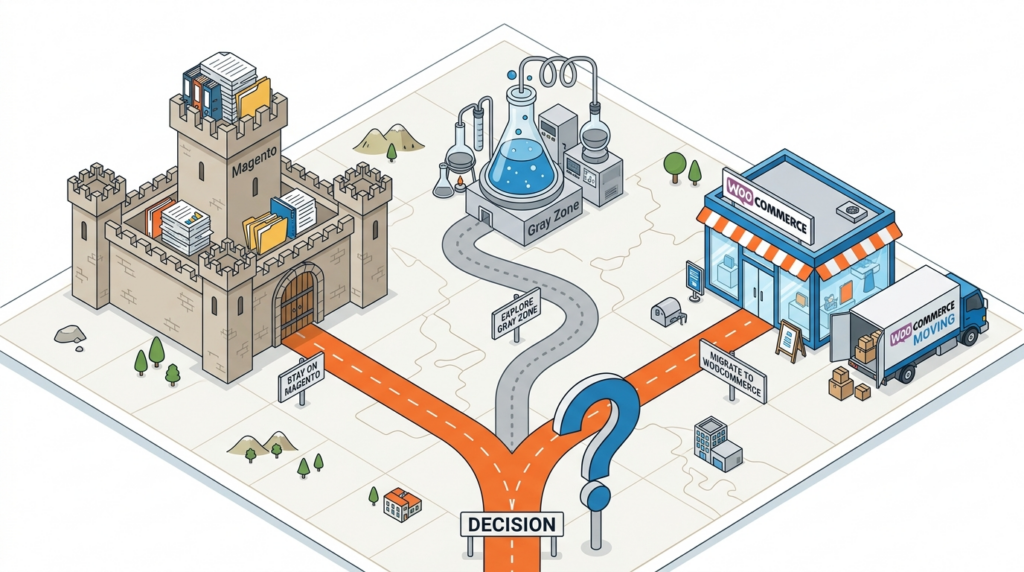
Platform comparisons end with a verdict. Ours ends with a decision rule. Three profiles cover most enterprise cases. They are built from the builds we have actually run.
Profile A: Stay on Magento
You run a multi-brand architecture on store views. Or search-and-filter UX is a conversion engine you cannot afford a rebuild window for. Or you have an invested Magento team and no trigger. Or your ERP is coupled to the EAV data model and the integration rebuild dominates the business case. None of these are failure conditions. They are reasons the platform is earning its cost.
A fourth reason belongs here only with an asterisk: if native B2B or Adobe’s SLAs are what keep you on Magento, and you are on Open Source today, you do not currently have those things. Staying means licensing Adobe Commerce. Price that license against WooCommerce plus a custom B2B build before you assume staying is the cheaper path.
Profile B: Move to WooCommerce
Your catalog is retail or DTC. You are paying the Magento tax of cluster hosting, quarterly security patches, and annual upgrade projects, and on Open Source you carry all of it without vendor support. You are not using multi-store, and your B2B needs are already met by extensions you could rebuild elsewhere. Your integrations are modern SaaS that speak REST and GraphQL, the same APIs WooCommerce exposes. Your hiring market cannot produce Magento developers at a sane price. Your SEO equity has a migration path, and the 301 map is part of the project. This profile is where most of the 2026 migrations we see belong.
Profile C: The gray zone
Hybrid wholesale-plus-retail, mid-market, or multi-market without heavy B2B. The rule here is: prototype, don’t argue. A 2–4 week proof-of-concept on WooCommerce with real catalog data answers more than a year of committee debate.
The five-question test
Five questions decide the profile. Answer honestly:
- Do you sell through shared catalogs or company accounts today, and are you doing it on Adobe Commerce’s native B2B module or on extensions bolted onto Magento Open Source?
- Is your search-and-filter experience responsible for a meaningful share of orders?
- What does one release of your store cost today, in team hours and infrastructure?
- Can you hire Magento developers in your market at a price you are willing to pay?
- Does your ERP integration depend on Magento’s data model, meaning EAV (Entity-Attribute-Value) attribute tables, or on well-documented APIs?
Magento-leaning answers on questions 1, 2, and 5 (native Adobe Commerce B2B, search-driven revenue, an EAV-coupled ERP) → stay. WooCommerce-leaning answers on 3, 4, and an API-based 5 → move. If question 1 is “yes, but on extensions,” treat it as a WooCommerce answer: you are already maintaining a custom B2B layer, and it can be maintained on either platform. Anything mixed → gray zone, and the prototype rule applies.
If you’re moving, the project is the cost, not the platform

One thing most comparisons skip: the switch itself is the biggest line item, and it is mostly not data transfer. Search, pricing logic, customer groups, and integrations are the hard part of the work and carry most of the budget. Magento’s EAV data model, configurable-product mapping, and B2B rule engines must be rebuilt rather than remapped. The harder the catalog, the wider the gap. Be sceptical of anyone quoting you a tidy timeline or a fixed price: there is no independent dataset behind the week-counts and dollar ranges that circulate on agency blogs, and even the migration-tool vendors decline to quote project costs, noting that it depends entirely on the volume of entities transferred. Our own experience is that a straightforward catalog moves in weeks and a complex one in months, but treat any number, including ours, as an estimate to be validated against your actual store.
What is verifiable is what the tooling costs and what it does. LitExtension starts at $59, moving products, customers, orders, categories, reviews, and CMS pages, with SEO URL preservation as a paid add-on ($39–$299). Cart2Cart starts at $69 for up to 1,000 products, 500 customers, and 500 orders, with 301 redirects and SEO URLs as $29 add-ons. The free FG Magento to WooCommerce plugin moves categories, products, images, stock, and CMS pages but not customers or orders; the Premium version adds attributes, variations, customers, orders, reviews, coupons, and SEO redirects.
Just as important is what no tool migrates: your theme and design, your third-party extensions and custom functionality, and, in practice, your customer passwords. Magento and WordPress use incompatible password hashing, so although some tools advertise password support, the safe plan is a forced reset on first login, communicated to customers before cutover. Budget for the reimplementation, not the export.
Treat the decision and the move as one project. Our step-by-step Magento-to-WooCommerce migration guide covers the full sequence. That includes risk-tiering, tooling, redirects, cutover, and the 90-day success check. It starts where this comparison ends.
Frequently asked questions
What is the difference between Magento Open Source and Adobe Commerce?
Magento Open Source is the free, self-hosted edition; Adobe Commerce is the paid edition built on the same codebase, and both shipped version 2.4.9 on May 12, 2026. Open Source includes multi-website and store views, layered navigation via OpenSearch, tier and group pricing, Page Builder, and GraphQL. Adobe Commerce adds the native B2B module, Live Search and Sensei-powered Product Recommendations, Customer Segments, Content Staging & Preview, Visual Merchandiser, RMA, reward points, Commerce Intelligence, support SLAs, and managed PCI-compliant cloud hosting. Adobe also sells two separate SaaS products, Adobe Commerce as a Cloud Service and Adobe Commerce Optimizer, which are architecturally distinct from the classic codebase. This article compares WooCommerce with Magento Open Source.
Is WooCommerce or Magento better for enterprise in 2026?
Both run enterprise stores; they differ in where the money goes. Magento Open Source is better when native multi-store architecture and out-of-the-box faceted search are core requirements. Adobe Commerce is better when B2B shared catalogs and company accounts are your business model and you can fund the license. WooCommerce is better for most other enterprises. It offers lower TCO, a larger talent pool, faster iteration, and proven scale. HPOS handles the performance layer, and it has been the default for new stores since WooCommerce 8.2.
Why is Magento more expensive to run than WooCommerce?
Magento 2 requires a service cluster. On 2.4.9 that means MariaDB 12.3 or MySQL 8.4, OpenSearch 3 for catalog search, Valkey 9 for cache and sessions (Redis is no longer supported), and cron, with Varnish and RabbitMQ commonly added. It also needs four security updates a year and an annual major patch project. WooCommerce runs as one PHP process on a standard WordPress host. You are paying for infrastructure on Magento that you never directly use, and every change costs more because the architecture is heavier.
Can WooCommerce handle large catalogs and high traffic?
Yes. HPOS (High-Performance Order Storage), default for new installations since WooCommerce 8.2, moved order storage from _posts/_postmeta to dedicated tables. In our Mighty Kids migration, order database queries went from 1.8s to 0.4s (4.5×). Order processing improved from 6s to 2.1s (3×). All at zero downtime. The store runs thousands of active subscriptions on 99.9% uptime. The architecture patterns behind results like these are documented in our scaling guide. Enterprise WooCommerce is an engineering outcome rather than a platform default. The installed base skews small-business, so verify any vendor’s enterprise logo wall against the live stack.
Does Magento have better B2B features than WooCommerce?
Adobe Commerce does. Magento Open Source does not. Adobe Commerce ships shared catalogs, company accounts, requisition lists, and negotiated pricing as native features with commercial support, delivered as a separately installed module. Magento Open Source includes customer group and tier pricing but no account-based B2B machinery, so merchants add Amasty, Aheadworks, or Mirasvit extensions or build custom logic, which is the same kind of work WooCommerce merchants do with Wholesale Suite, B2BKing, or custom development. If account-based selling is your core model, native B2B is the strongest argument for Adobe Commerce specifically, not for Magento generally.
Does Magento Open Source still get security patches?
Yes, but on weaker terms than Adobe Commerce. Adobe supports each 2.4.x version for three years from its GA date (2.4.7 to April 2027, 2.4.8 to April 2028, 2.4.9 to May 2029) and ships four security updates a year. However, Adobe’s formal software lifecycle policy states that it does not apply to Magento Open Source, and extended support is an Adobe Commerce entitlement only. Open Source 2.4.5 and 2.4.6 stopped receiving patches after August 11, 2026. Merchants staying on the free edition long-term often follow Mage-OS, a community-governed distribution that ports Adobe’s security patches into source-distributed releases.
What are the hidden costs of WooCommerce for enterprise stores?
Three places. First, paid extensions. A serious store typically runs $500–$2,000/year. Second, integration work. ERP, PIM, and CRM syncs are full projects, not plugin installs. Third, performance engineering. Once catalogs pass a few thousand SKUs, search and faceted navigation need SearchWP, ElasticPress, FacetWP, or Algolia via the community-maintained WP Search with Algolia plugin, instead of the default MySQL search. Note that Algolia has deprecated its own WordPress integration, so the community plugin is the maintained route.
Is Magento being discontinued?
No. Magento 1 reached end-of-life on June 30, 2020 and receives no security patches. Magento Open Source continues; version 2.4.9 shipped May 12, 2026 with PHP 8.5 support and 580 fixed core issues. Adobe Commerce is the paid line, and Adobe has added two SaaS products alongside it. Anyone still on Magento 1 should move. The platform itself is alive, though Adobe’s roadmap energy is visibly going into its SaaS commerce products, which is part of why Mage-OS exists as a community hedge for self-hosted merchants.
How long does it take to migrate from Magento to WooCommerce?
It depends on the catalog and the integrations, and no independent benchmark exists, so treat published timelines, including ours, as estimates to validate against your store. In our experience a straightforward catalog moves in weeks and a complex one with heavy configurable or bundle products, B2B pricing, or ERP integrations takes months. What is consistent is the shape of the work: the data transfer takes hours to days, while the rebuild of search, pricing rules, and integrations dominates the schedule. Migration tools start at $59–$69 and move data only; themes, extensions, and customer passwords do not transfer. Our step-by-step migration guide covers the whole process.
When should I stay on Magento instead of switching?
Stay when multi-brand store architecture matters, when your search experience is a conversion engine you cannot afford to rebuild, when your ERP is coupled to Magento’s EAV model, or when you have an invested team and no cost or capability trigger. If your reason is native B2B or vendor SLAs, check which edition you are on first: those are Adobe Commerce features, so “staying” means buying a license, and that should be priced against WooCommerce plus a custom build.