Skip to content

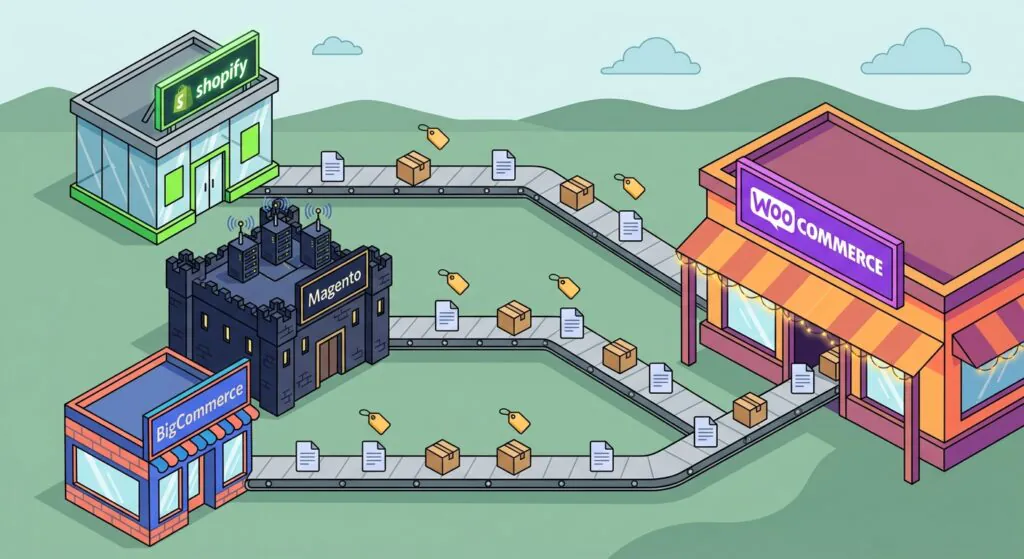
Migrating to WooCommerce costs between $500 and $3,000 if you run the data transfer yourself with migration tools, and anywhere from $5,000 to $60,000 or more if a specialist agency runs the whole project. WooCommerce itself is free, so the figure has little to do with the platform you are moving to. What sets it is the platform you are leaving, and how much of your old store has to be rebuilt instead of simply transferred.
Key Takeaways
- With a specialist agency, budget $5,000 to $50,000 from Shopify or BigCommerce and $8,000 to $60,000+ from Magento. Doing it yourself with migration tools runs roughly $500 to $3,000, plus your own time.
- Complexity sets the price, not catalog size. We scope in three levels: straightforward ($5,000–$15,000), intermediate ($15,000–$35,000) and complex ($35,000–$60,000+). Integrations, subscriptions and B2B pricing move a project up a level faster than product count does.
- About 20% of a migration is data that tools transfer; the other 80% is rebuilt. Search, pricing logic, integrations and design are where most of the budget goes. This 20/80 split is our own scoping model, not an industry standard.
- After the move, budget $500 to $2,000 a year in paid extensions, plus hosting and someone to own updates, backups and security. WooCommerce Subscriptions alone is $279 a year.
- Four hidden costs break budgets most often: a complete 301 redirect map, an on-site search rebuild, B2B pricing, and re-implementing integrations.
- Some stores should not migrate. Adobe Commerce’s native B2B features, true multi-store setups and heavy POS reliance are all reasons to stay put.
What a WooCommerce migration costs in 2026

Our published migration guides and our replatforming service page land on the same bands: $5,000 to $50,000 with a specialist agency from Shopify or BigCommerce, $8,000 to $60,000+ from Magento, and roughly $500 to $3,000 for the DIY route once tools, hosting, and theme licenses are counted. Timelines run 2 to 6 weeks from Shopify and 3 to 8 weeks from Magento, with complex catalogs taking 2 to 4 months.
| Migrating from | Agency cost | DIY cost | Typical timeline |
|---|---|---|---|
| Shopify | $5,000–$50,000 | $500–$2,000 plus your time | 2–6 weeks |
| Magento | $8,000–$60,000+ | $1,000–$3,000 plus your time | 3–8 weeks; 2–4 months for complex catalogs |
| BigCommerce | $5,000–$50,000 | $500–$2,000 plus your time | 2–6 weeks; longer with heavy B2B pricing |
| Ongoing (any origin) | n/a | $500–$2,000/year in paid extensions | n/a |
Agency pricing by complexity level
A range as wide as $5,000 to $60,000 is honest, but it does not tell you where your store sits. The more useful question is which complexity level you are in, and that is decided by what your store does rather than how many products it has. These are the three levels we scope against on our replatforming service:
| Level | Typical agency cost | Timeline | Catalog and features | Integrations |
|---|---|---|---|---|
| Straightforward | $5,000–$15,000 | 2–4 weeks | Standard Shopify or BigCommerce catalog; apps with direct WooCommerce equivalents; existing design carried across | None beyond payment gateway, shipping, and email marketing plugins |
| Intermediate | $15,000–$35,000 | 4–8 weeks | Large or messy catalog; several custom features or app workflows to rebuild; a design refresh | A fulfilment or accounting integration |
| Complex | $35,000–$60,000+ | 2–4 months | Thousands of active subscriptions, B2B pricing rules, custom checkout logic, or a new build rather than a reskin | ERP or PIM sync |
The levels apply to every origin platform, but the origin shifts the odds. Shopify and standard BigCommerce stores are the most likely to be straightforward. Magento moves rarely are: most start at $10,000 to $20,000, because layered search, customer-group pricing and third-party modules all count as rebuilds. If one item from a higher row applies to your store, such as a single ERP sync, plan for that row. Treat the timelines as best case.
Two reference points help put those numbers in perspective. WooCommerce is free, open-source software, so your budget is not buying a license. It is buying labor. And the destination is well-trodden ground: WooCommerce runs 7.7% of all websites and 47.1% of the ecommerce systems W3Techs surveys (November 2026).
Why the platform you are leaving sets the price
The destination is the same in every scenario. The origin is what differs, because it decides how much of your store is data, which tools can move, and how much of it is behavior, which people have to rebuild.
From Shopify
Shopify is a closed SaaS platform. Products, customers, orders, and collections export cleanly, and the migration tools handle them well. What does not move is the storefront, since Liquid themes are Shopify-specific, along with every app that contributed business logic: subscriptions, loyalty, custom checkout, advanced search, ERP sync. The cost driver is the number of apps you depend on, because each one needs a WooCommerce equivalent installed, configured, and tested before cutover. Our step-by-step Shopify migration guide lists what transfers and what does not.
From Magento
Magento sits at the high end for structural reasons. Exporting the data is not the problem: native CSV export and the url_rewrite table actually make it quite accessible. The cost sits in everything the platform does for you, including layered navigation and OpenSearch-powered search, customer-group pricing, cart and catalog price rules, multi-store views, cron-driven jobs, and a module stack (Amasty, Aheadworks, Mageplaza and peers) with no one-click ports. Each of those is a rebuild on WooCommerce, and together they explain why Magento agency ranges start where Shopify’s end. The full sequence is in our Magento-to-WooCommerce migration guide.
From BigCommerce
BigCommerce prices like Shopify. Its B2C machinery behaves like Shopify’s during a migration: SaaS exports, a theme that does not port, and an app marketplace whose business logic needs WooCommerce equivalents. The difference is B2B. BigCommerce positions account-specific pricing, quote management, and buyer-approval workflows as first-class platform features, and on WooCommerce those become plugin rebuilds (Wholesale Suite, B2BKing) or custom work. A pure B2C BigCommerce catalog usually lands at the straightforward level, while real B2B usage moves the project into the intermediate or complex level.
The 20/80 rule: what transfers cheaply and what must be rebuilt

The 20/80 rule is Progressus’s internal scoping model for pricing migrations, a planning heuristic built on our own projects rather than an industry standard. The pattern it captures is simple. Roughly 20% of the project (products, customers, orders, categories, content) is data transfer, and migration tools do that well for a few hundred dollars. The other 80% is reimplementation: the features, integrations, and workflows that made your old store work. Tools cannot transfer that 80%, because it does not exist as rows in a database. It exists as behavior.
Entity counts price the easy 20% of a migration. Your budget lives in the 80% no tool can transfer.
Before any data moves, we classify every entity into three tiers. The same inventory works whether you are coming from Shopify, Magento, or BigCommerce:
| Tier | What is in it | What it costs |
|---|---|---|
| Tier 1: transfers for tool money | Products (simple, grouped, downloadable, virtual), customers, orders, categories, CMS content | The tool fee plus verification hours. Run the free demo, compare entity counts, and spot-check 10 of each. |
| Tier 2: transfers with mapping | Configurable products, which become variable products via attribute mapping and are the most failure-prone step of a Magento move, plus tier prices, reviews, URL rewrites, and coupons | The tool fee plus QA hours that scale with catalog complexity, because each of these fails silently in specific ways |
| Tier 3: must be rebuilt | Catalog search and filters, customer groups and B2B pricing, cart and catalog price rules, ERP/CRM/3PL integrations, subscriptions, gift cards, transactional emails, admin roles, and the theme itself | The majority of the project budget. Nothing in this tier migrates: each item is a workstream with an owner, a spec, and a test. |
The DIY route: what the tools actually cost

The DIY route is real, and the tools are cheap. Cart2Cart, which has run 500,000+ migrations across 85+ platforms, prices by entity count and publishes $99 as the average cost of migrating a 1,500-product store. Both Cart2Cart and LitExtension, which supports 140+ source platforms, run a free demo first. Cart2Cart’s demo moves up to 10 products with their related customers and orders in 10 to 15 minutes, which is exactly where tier-2 mapping problems surface.
WP All Import is the manual alternative: a paid WordPress plugin that maps your platform’s CSV exports onto WooCommerce structures. It is the most flexible option and the most labor-intensive, and like every tool, it does not migrate customer passwords.
The $500 to $3,000 covers the migration window itself: tools, theme licenses and a couple of months of hosting. Redirect maps, app equivalents, search rebuilds and integrations remain your work, and they are where DIY projects fail. Hosting is permanent too: entry plans at established managed WordPress hosts start around $21 a month (Pressable’s entry tier, $250 billed annually). A founder working nights and weekends should plan in months, not weeks.
Two line items people forget. The first is hosting that meets WooCommerce’s current server requirements, including PHP 8.3 or higher. The second is the extensions that replace your old apps, all licensed annually: WooCommerce Subscriptions is $279 a year, Memberships $199 and Product Add-Ons $79 as of November 2026. Memberships handles access but not recurring billing, so a subscription-based membership needs both.
DIY saves money when the store is simple: a small catalog, standard apps and no integrations. Past that, the saving shrinks fast. The tool fee is the small part of the bill. The rest is your own hours on redirects, app replacements and testing, and the cost of what gets missed, such as a redirect gap that takes search traffic with it. Before you choose the DIY route, price your time and ask what a month of lower organic traffic would cost you.
The agency route: what drives a five-figure quote

An agency quote is mostly tier-3 work. Four variables set the number: catalog size and data quality; how many apps, modules, and custom features need rebuilding; design scope, whether that is a reskin, a refresh, or a new build; and anything you want the new store to do that the old one could not. Integrations are the swing factor. An ERP, 3PL, or subscription stack can move a project from the intermediate level to the complex one on its own, because each one is an engineering project rather than a plugin install. When custom code is part of the rebuild, it gets scoped and priced as its own workstream. You can see how we approach custom plugin development.
Our Mighty Kids case study is a migration within WooCommerce, not a replatform, but it shows what that kind of investment buys: order processing went from 6 seconds to 2.1 seconds per order and refund processing from 25 minutes to 6, with zero downtime during the move.
What an agency changes
The fee buys lower risk as much as labor. The expensive failures in a migration are lost rankings, a checkout that breaks on launch day and orders that never arrive in the new store, and each one comes from work that a tool does not do and a first-time migrator does not know to check. A specialist team takes that work on:
- The rebuild has an owner. Every app, integration and pricing rule is listed, given a WooCommerce equivalent and tested before cutover, instead of being discovered after it.
- Redirects are built from your real URLs. A complete 301 map is in place before DNS switches, which is the single biggest protection for search traffic.
- The data is verified, not assumed. Product, customer and order counts and totals are reconciled against the source instead of trusting a tool’s success message.
- One team is accountable. Data, integrations and launch sit with the same people, so nothing falls between a tool vendor, a freelancer and your host.
- You keep running the business. A migration done in evenings and weekends competes with everything else you do. One done by a team does not.
It also starts with a decision you cannot easily get from a tool: whether to move at all. Our replatforming service begins with a free scope review that ends in a written scope, an estimate and a plain verdict on whether migrating is the right call for your store.
When migrating is the wrong call
An honest cost guide has to include the scenarios where staying put is cheaper. We publish this on our own replatforming page, and it applies here too. If shared catalogs, company accounts, and negotiated pricing are how you actually sell, Adobe Commerce’s native B2B features are a genuine advantage, and replacing them with WooCommerce plugins is a downgrade rather than a saving. True multi-store setups, such as Magento websites and store views or BigCommerce multi-storefront, have no native WooCommerce equivalent and become separate builds. Heavy Shopify POS reliance is another stay-put signal, because POS data does not transfer and the retail side needs its own project. And if you are starting from scratch with no orders or customers to move, you are not buying a migration at all. That is a new build, and it is priced differently. For the full stay-or-go decision, see our WooCommerce vs. Magento comparison.
The hidden costs that surface after the quote

In Baymard Institute’s cart abandonment research, extra costs such as shipping, tax, and fees are the most common reason shoppers give for abandoning a checkout, cited by 40% of them. Migration budgets die the same way. The headline number is rarely what kills them; the line items that surface after it was agreed are. These are the ones that come up again and again.
- A complete 301 redirect map. Shopify URLs (
/products/handle) and Magento URLs (/product-name.html) do not match WooCommerce’s (/product/slug/). Google’s site-move documentation instructs you to map every old URL to its new destination, use permanent 301/308 redirects, avoid redirect chains, and keep them in place for at least a year. In our experience, skipping this is the #1 cause of post-migration traffic loss. Even done right, our projects typically see a 10 to 20% organic dip over 2 to 4 weeks, with recovery in 6 to 12 weeks. - The on-site search rebuild. WooCommerce’s default search is MySQL-based and visibly weaker than Magento’s OpenSearch or a tuned SaaS search on large catalogs. Catalogs over a few thousand SKUs need SearchWP, ElasticPress, or Algolia (via the community-maintained WP Search with Algolia plugin) plus a faceted-filter plugin. Budget the licenses and the configuration time, or on-site search conversion regresses.
- B2B pricing and customer groups. Customer-group pricing, negotiated tiers, tax-exempt checkout, and quote flows do not migrate. On WooCommerce they are rebuilds, either with plugins like Wholesale Suite or B2BKing, or with custom logic.
- Integration re-implementation. ERP, CRM, 3PL, and marketplace connections never port one-to-one. Each is a scoped project against WooCommerce’s REST API, and it is the line item most often missing from cheap quotes.
- Subscriptions, gift cards, and stored payments. Payment vaults do not transfer, so customers re-enter card details. Gift card balances are reissued as new codes. Subscription schedules move as a dedicated workstream and should run in parallel for at least one full billing cycle before the old billing stops.
- Customer password resets. Platforms use incompatible password hashing, so returning customers reset once. It costs nothing but an email, and it is the change customers actually notice, so write that email before cutover rather than after.
- The PCI-DSS responsibility shift. On Shopify or BigCommerce, the platform hosts checkout and carries most of the PCI burden. On self-hosted WooCommerce, WooCommerce’s own documentation is explicit that compliance is the store owner’s responsibility. Hosted-field gateways such as Stripe, PayPal and WooPayments reduce the scope, but you still answer for the hosting and the plugins.
- Maintenance labor. Core, WooCommerce, plugin and theme updates, tested on staging, plus backups and security monitoring. SaaS platforms do this invisibly; on WooCommerce someone visibly owns it.
- No single support desk. Help comes from your host, each extension’s developer and your agency, each covering only its own layer.
WooCommerce is free. Running it is not: hosting from roughly $250/year, extensions at $500 to $2,000 a year, and someone on the hook for updates and security. Budget the stack, not the license.
How to read a migration quote

Quotes vary because vendors price different tiers of the same project. A data vendor quoting by entity count is pricing the 20%, while a full-service agency is pricing the 80%. Compare quotes on what each one has decided to leave out:
- Coverage. Does the price cover the tier-3 list, including search, pricing rules, and integrations, or only the data transfer?
- The app inventory. Is there a list of every app or module you use, with a named WooCommerce equivalent and its running cost?
- Reconciliation. Are imported counts and totals checked against the source and genuinely verified, rather than taken from a tool success report?
- Redirects. Is a complete 301 redirect map delivered before cutover, built from your actual URL inventory?
- Price integrity. Is there a written estimate and a clear process for re-prioritising or changing scope, or does the number just float?
- Testing. What exactly do you test, on what data, and who signs off before the DNS switches?
- After launch. Is there a monitoring window and a review against your baseline, or silence?
A quote that only counts products, customers, and orders is a tool estimate, not a project price.
For the full evaluation framework, including the four shapes of WooCommerce agency, twelve signals that separate specialists from generalists, and nine walk-away red flags, see our buyer’s guide to choosing a WooCommerce development agency.
And if you want the number before you commit to anything, send your current platform, catalog size, and integration list to the team behind this guide. Progressus’s replatforming service starts with a free scope review that ends in a written scope and estimate, and in a written verdict on whether you should move at all, which is sometimes the cheapest possible answer.
Frequently asked questions

How much does it cost to migrate from Shopify to WooCommerce?
Doing it yourself with migration tools: $500 to $2,000 in tools, hosting, and licenses, plus $500 to $2,000 a year in paid extensions going forward. With a specialist agency: $5,000 to $50,000 for a typical small-to-mid store, driven mostly by how many Shopify apps have to be rebuilt as WooCommerce equivalents.
How much does a Magento-to-WooCommerce migration cost?
DIY: roughly $1,000 to $3,000 in tools, hosting, and licenses. With an agency: $8,000 to $60,000+, with most projects starting at $10,000 to $20,000. Magento migrations run higher than Shopify’s because more of the store has to be rebuilt rather than transferred, including search, customer-group pricing, price rules, and modules.
Should I migrate to WooCommerce myself or hire an agency?
Do it yourself if the store is simple: a small catalog, standard apps and no integrations, and you have the time to build redirects and test. Hire a specialist once the store has integrations, subscriptions, B2B pricing or search traffic you cannot afford to lose. At that point the tool fee is the small part of the cost, and the real risk is in the work tools do not do: redirects, rebuilt features and verification.
How long does it take to migrate to WooCommerce?
2 to 6 weeks from Shopify and 3 to 8 weeks from Magento for a store of average complexity, and 2 to 4 months with ERP sync, large subscription bases, or heavy B2B pricing. The data transfer itself takes hours to days. The timeline is dominated by rebuilding and testing everything attached to the old store.
What ongoing costs come after a WooCommerce migration?
Permanent ones: managed hosting (entry plans at established managed WordPress hosts start around $21/month, billed annually), $500 to $2,000 a year in paid extension licenses (Subscriptions $279, Memberships $199, Product Add-Ons $79 as of November 2026), and someone to own updates, backups, and security. Note that Memberships handles access control but not billing, so recurring-billing memberships need Memberships plus Subscriptions, $478/year combined.
Will a WooCommerce migration hurt my SEO rankings?
Not if redirects are handled properly. Google’s site-move guidance is to map every old URL to its new destination with permanent 301/308 redirects, avoid chains, and maintain them for at least a year. Even then, our projects typically see a 10 to 20% dip for 2 to 4 weeks, with recovery in 6 to 12 weeks. Skipping redirects is what actually costs rankings.
When should I not migrate to WooCommerce?
When Adobe Commerce’s native B2B features (shared catalogs, company accounts, negotiated pricing) are your core sales model; when you run true multi-store setups; when Shopify POS is central to operations; or when you have no orders or customers to move, which makes it a new build rather than a migration. In those cases the honest recommendation is to stay put or scope a build instead.