Skip to content


Updated: July 20, 2026.
Deciding to create a WooCommerce online store or a series of them with Multisite is exciting. But things can quickly get unwieldy when you realise there are so many options when it comes to which plugins for WooCommerce you should choose to set things up.
It definitely makes you wonder which are the best extensions for WooCommerce? Not to worry, here at Progressus.io, we’re platinum certified WooExperts. We know a thing or two about which ones are solid options for your online store.
Below are more details as well as our expert pick for the best WooCommerce plugins for your online store or WooCommerce Multisite network in 2026. This is just the beginning so if you need more help, feel free to reach out to us.
What Plugins are Needed for WooCommerce?
So why do you need plugins for WooCommerce, anyway? While you can set up a shop and be ready to sell your products or services quickly, you do need plugins.
Not only can they extend the core features of WooCommerce, but they also provide crucial services which are non-negotiable:
- Security plugins to ensure your customers’ credentials are secure
- Caching and performance plugins for top performance and faster page loading times — especially critical as Core Web Vitals directly impact search rankings
- Backup plugins so if something goes wrong, you can recover your store
- Image optimisation plugins to boost your store’s performance
- Anti-spam plugins for a greater user experience and to further protect your customers
- AI-powered plugins for content generation, customer support automation, and personalised product recommendations
There are also other types of plugins which are optional, but help grow your store as well as provide a better user experience such as:
- SEO plugins
- Shipping plugins
- Store management extensions for WooCommerce
- Checkout optimisation plugins — particularly important with the shift toward WooCommerce Checkout Blocks
- AI and automation plugins that leverage the new WooCommerce MCP (Model Context Protocol) capabilities introduced in 2025–2026
- Other plugins that add features to your store
For over 23 plugins such as these, check out Verified Expert Pick: Best Multisite WordPress Plugins (WooCommerce Too).
Are WooCommerce Plugins Free?
There are some plugins for WooCommerce that are free and others that are premium options. Many essential plugins — such as Jetpack for basic security, WooCommerce Shipping, and Google for WooCommerce — offer robust free tiers that are sufficient for smaller stores.
How Do I Get WooCommerce Plugins?
You can find free plugins in the WordPress.org repository as well as in the WooCommerce.com extension store. There are also premium plugins available in the extension store as well. There are also free and premium plugins you can find from third-party developers and marketplaces.
Feel free to check out WooCommerce Pricing: Plugin Costs and More for Your Online Store as well as Is WooCommerce Free? What It Costs to Build an Online Store.
Can You Use WordPress Plugins on WooCommerce?
Extensions and plugins are essentially the same thing. The main difference is that plugins designed specifically for WooCommerce are often referred to as extensions. That being said, you can call extensions “plugins” and you’ll be understood just fine.
With that in mind, you absolutely can use plugins for your WooCommerce store or Multisite network of stores. Just be sure to fully test the plugins that you want to use before adding them to your live site. That way, you can verify they work well and avoid potential problems that your customers will be forced to face.
For further details, check out WordPress Multisite and WooCommerce Multisite: An Overview.
Where are WooCommerce Plugins Located?
In your WordPress admin dashboard, you can see the plugins for WooCommerce that you already have installed by going to Plugins > Installed Plugins. You can also add new ones from the WordPress repository by going to Plugins > Add New.
You can find out how to install and update plugins with our article How to Set Up and Update a WooCommerce WordPress Multisite Network.
Which are the Best WooCommerce Plugins for eCommerce Businesses?

When you’re running an online store and you want to do a little more, installing some of the best WooCommerce plugins can help you get the most out of your setup.
For example, you can add more than one payment gateway to give your customers ample options at checkout. That way, they can choose their preferred payment method, which means they’re more likely to finish the process and not abandon their cart. In 2026, this includes modern options like WooPayments (formerly WooCommerce Payments), Buy Now Pay Later solutions such as Klarna and Affirm, and digital wallets like Apple Pay and Google Pay.
While you’re at it, you can also add multiple shipping options with the best WooCommerce plugins in that category. Similar to payment gateways, you can add multiple options so customers can choose the best option for them. This also helps reduce the chances that they’ll abandon their order.
Not only that, but there’s also a plugin for A/B testing so you can see exactly what’s going to drive customer sales. Running an A/B test will take the guesswork out of increasing your conversion rate. This is especially true when you use the recommended plugin mentioned below that’s tailored to the elements that are proven to drive conversions the most.
AI-powered plugins have also become essential in 2026. From AI chatbots that handle customer support 24/7 to product recommendation engines that increase average order value by 10–30%, these tools are no longer optional for competitive stores. WooCommerce 10.9 (released June 2026) even introduced canonical WooCommerce capabilities that let AI assistants manage products and orders directly through open protocols.
Here are 23 of the best WooCommerce plugins for eCommerce businesses, handpicked by verified experts:
- 10 Best WooCommerce Payment Gateways
- How to Increase Conversion Rate for WooCommerce with A/B Testing
- 12 Best WooCommerce Shipping Plugins Including Global Options
- WooCommerce Product Addons Free: The 2026 Guide for Store Owners
- How to Modify the WooCommerce Checkout Page for Higher Conversions (2026 Guide)
What are the Best Extensions for WooCommerce Multisite?
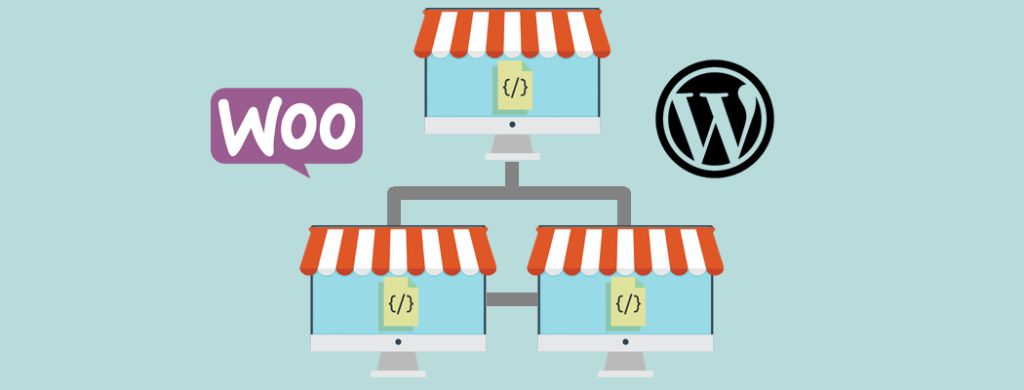
So what about WooCommerce Multisite networks? We’ve got you covered. With Multisite, your network of sites can be turned into as many online stores as you want. That’s all well and good, but there are certain challenges that can arise.
Out of the box, every online store you create in a Multisite network will work independently. This means if you want to sync elements like orders, inventory and more or you want to add a global cart, you’ll need WooCommerce plugins such as these:
- 4+ Top WooCommerce Multisite Inventory Sync WordPress Plugins
- How to Set Up WooCommerce Multisite with Stock Syncing
- WooCommerce Multisite Order Sync: How to Add This and More to WordPress
- 3+ Best WooCommerce Multisite Global Cart Options for WordPress
- 4+ WooCommerce Multisite Product Sync Options for WordPress Networks
There are also other features you can add to your WooCommerce Multisite network. For example, you can use any of the best plugins for WooCommerce mentioned in the resources below. They’ll help you improve your user experience, add functionality such as premium subscriptions and open your store to a global market with a language switcher and multiple currencies:
- How to Create (and Edit) a WooCommerce Multisite New User Role
- How to Build a WooCommerce Subscriptions Multisite Network
- How to Create a WooCommerce Multisite Language Switcher
- WooCommerce Multi-Currency: How to Add Currencies (to Multisite)
High-Performance Order Storage (HPOS): A Must-Have Foundation
One of the most significant architectural changes in WooCommerce over the past few years is High-Performance Order Storage (HPOS). Introduced to replace the legacy approach of storing orders inside WordPress’s general wp_posts and wp_postmeta tables, HPOS uses dedicated, indexed database tables built specifically for eCommerce workloads.
HPOS is now enabled by default for all new WooCommerce installations and has become the recommended standard for existing stores. The benefits are substantial: up to 5× faster order processing, improved database efficiency, and the ability to handle far more concurrent activity without performance degradation. For high-volume stores, this isn’t optional — it’s essential.
However, not all plugins have been updated for HPOS compatibility. Before enabling HPOS on an existing store, verify that every order-touching plugin supports it. WooCommerce enforces a six-month update rule for developers to keep extensions current, but legacy plugins may still cause issues. If you need help auditing your plugin stack for HPOS readiness, reach out to our team.
WooCommerce Checkout Blocks: The New Standard
WooCommerce has been steadily moving toward block-based checkout as the modern standard. The Checkout Block, built using Gutenberg, allows store owners to drag-and-drop fields, rearrange layouts, and streamline the checkout flow with minimal coding. WooCommerce’s own data shows a 27% increase in checkout conversions when using the block checkout versus the classic version.
That said, adoption has been gradual. As of early 2026, the majority of stores still use Classic checkout, largely because many legacy plugins haven’t been updated for block compatibility. The key constraint when choosing plugins in 2026 is ensuring they support your chosen checkout format — or better yet, both.
For stores looking to optimise their checkout experience, check out our guide on How to Modify the WooCommerce Checkout Page for Higher Conversions (2026 Guide).
Top Plugins for WooCommerce: Online Store Management
There are also so many WooCommerce plugins that will help you skillfully manage your online store or network. From Customer Relationship Managers (CRMs) to adding user roles, viewing detailed reports and more, you can check out the expert-recommended 6 Unexpected Plugins You Need to Manage WooCommerce.
Other Options with Custom Code
So what if you took a look at all the resources available above and you didn’t find what you were looking for? What if you found what you needed, but some key features were missing that you can’t go on without adding to your store or network?
That’s alright, you can hire a trusted WooCommerce developer or agency to handle it for you. They can understand your specific needs and build the solution you require. Not only will you get the capabilities added to your store or network, but hiring a trusted and expert WooCommerce development agency saves you time and money.
As platinum certified WooExperts, we’ve worked on creating custom plugins and solutions for popular brands such as DHL, Budget Rent-a-Car, Janovic, and the WordPress company – Automattic. If you need help with your WooCommerce online store or Multisite network, feel free to reach out to us for a free consultation.
Whatever your specific needs may be, we can help you out. We can turn the best WooCommerce plugins into the perfect solution for your store or network.
What are Your Favourite Extensions for WooCommerce?
At the end of the day, the best WooCommerce plugins you can find are the ones that work best for your online store or network. The top extensions you pick are also the ones that carry the features and capabilities you need.
Don’t worry if someone else has a different idea of the extensions you should use. You do you. At least you have this list to draw on to get you started that was handpicked by verified WooCommerce experts.
Now that you’ve taken a look at our selection of the best plugins for WooCommerce, which ones are your favourite? Are there ones you think we should have mentioned? Let us know in the comments below.